




4.5
Free
MyPaint
MyPaint - A Creative Painting and Drawing App for Android


Safe & trusted downloads
The best software, verified by experts
Comprehensive free paint tool
Krita Desktop is a free multimedia, graphic, and design paint tool program. The program offers a wide array of tools and functionalities that make it a great alternative to expensive, paid software. Its focus on quality and detail allows artists to create stunning illustrations and digital paintings at their own will.
Krita Desktop program's interface is clean and can be customized to suit any artist's workflow. With features like the pop-up palette and customizable shortcuts, it allows creators to work without getting lost in menus. Its streamlined design makes it a solid choice for illustrators and artists who need a reliable platform.
Krita Desktop’s software is packed with many features that appeal to a range of artists. Its brush engines, with a stabilizer for smooth lines, make it a favorite for digital painters and illustrators. It also has specific tools for comic artists, such as panel templates and halftone filters. Lastly, its ability to import new brushes and texture packs from the community adds endless creative possibilities.
Beyond basic drawing, the program also includes advanced features that many other free programs lack. It offers a full suite of animation tools for creating frame-by-frame sequences, as well as a multi-brush tool for drawing symmetrical shapes with ease. The program's layer management system is good, including layer masks and various blending modes, providing professional-grade control over compositions, ensuring an artist’s vision is accurate and faithful.
While it’s incredibly powerful and a great value, it does have a few notable cons. The program can be demanding on system resources, sometimes leading to lag or crashes, especially when working on very large canvases with many layers. For beginners, the sheer number of available tools and options can feel overwhelming at first, creating a steeper learning curve in comparison to mainstream counterparts.
In conclusion, Krita Desktop is an outstanding free program for digital artists. While it may have some performance issues and a learning curve for newcomers, its powerful features and open-source nature make it an unbeatable option. The solid community support and constant updates ensure that it remains a top-tier choice for anyone passionate about digital art and illustration, regardless of skill level.
Free
MyPaint - A Creative Painting and Drawing App for Android
Free
Mobile desktop-class studio for illustration, comics, and animation
Free
Paint Pro: A Free Painting Tool

Free
Canvas Student: Mobile coursework access and study planning for learners

Design your social media content at hand
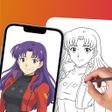
Unleash Your Creativity with AR Drawing - Trace to Sketch
Powerful drawing application in your mobile
Free modeling and animation tool

Free background remover app

A feature-rich digital art app

Ertugrul Quotes App Review

Dream Painting - AI Art Image
Wolf Hunter Game Hunting Clash Overview

DIY Cat Language Wallpaper: Personalized Cat Wallpapers App
Sketch Notes: Note Taking and Sketching App

AR Drawing: Paint & Sketch - Creative AR Drawing and Sketching App