




3.5
Trial version
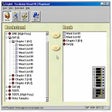
Vocabulary Wizard
Efficient, fast and easy way to study exam word


Safe & trusted downloads
The best software, verified by experts
Manage your Kindle notes
KMate - Clippings & Vocabulary Manager for Kindle is a utility tool designed to help Kindle users organize, compile, and study their saved notes from their Kindle device or app. It supports and syncs notes with many new Kindle models like Paperwhite, Oasis, and Scribe.
KMate - Clippings & Vocabulary Manager for Kindle collects your Kindle notes, highlights, and vocabulary words and displays them in a structured, searchable interface. It organizes content by book title, author, and date, making it easy to revisit quotes or study notes. You can also export them to formats like PDF, Markdown, and Word.
It also helps expand your vocabulary by defining difficult words through built-in dictionary support. You can mark words as “learning” or “mastered” for easy tracking. While the interface is clean and sleek, its design feels outdated and basic compared to modern note-taking apps like Microsoft OneNote.
Overall, KMate - Clippings & Vocabulary Manager for Kindle is a handy app for Kindle users who want a better way to manage their notes. Even if the interface looks dated by modern-day standards, its excellent organization features and flexible export options still make it a top pick for reviewing notes.
Trial version
Efficient, fast and easy way to study exam word
Free
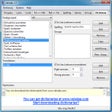
Valodas: A Free Educational Tool for Windows

Free
The quick and reliable desktop dictionary
Free
Enhance Vocabulary with DWords Application

Free
Comprehensive Utility Suite for Study Management

A practical and versatile tool for automation
A better way to uninstall
Copy damaged CD's or DVD's

Manage your files more effectively
Optimize Your PC with PCSuite Booster
Analyze and track your system processes
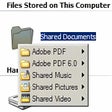
Access any program quickly with a handy context menu
File verification and repair tool

Streamline Your Messaging with Exomod SMS
An enhancement of the Send To system menu
Monitor Hard Drive Temperatures with DiskAlarm