

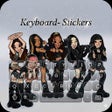
Katseye Kpop keyboard- Sticker for iPhone
<h2>Katseye Kpop Keyboard & Sticker brings fandom themes to iPhone</h2>
- Free
- 4.7
- V 1.2
<h2>Katseye Kpop Keyboard & Sticker brings fandom themes to iPhone</h2>
Install Katseye Kpop keyboard- Sticker by Shamus Ul Hayatam on your iPhone to replace the standard keyboard with a fan-themed input and sticker tool. The app supplies themed keyboard skins, member-specific designs, and an integrated sticker pack usable in iMessage and other messaging apps for quick fan expressions. It includes signature color palettes and concert-inspired interfaces, with iOS 12.0 or later compatibility. The target users are Katseye fans who want visible, themed personalization on their mobile device.
Provides themed keyboard skins plus a dedicated member sticker library
The app combines keyboard visuals and a sticker collection, offering gradient backgrounds, stage lighting effects, and member-specific designs tied to each performer. Users get a digital sticker pack with light sticks, reactions, and group symbols usable in messaging apps.
- Themed keyboard skins matched to signature pink, purple, and neon palettes
- Member-focused artwork usable directly from the keyboard
- Concert-era inspired interface options
Runs as an iOS keyboard extension under the platform's requirements
The tool operates within the standard third-party keyboard model and requires iOS 12.0 or later, making it compatible with iPhone, iPad, and iPod touch. Because it uses the keyboard extension pathway, it integrates into iMessage and other apps that accept third-party keyboards. The app does not claim a separate runtime or background service, so it behaves like other keyboard extensions rather than a standalone background process.
Requires Full Access, so privacy trade-offs are explicit
The keyboard requests "Full Access" in Settings, which is a standard iOS permission to load custom themes and stickers directly into the keyboard interface. The developer notes this requirement in FAQs. The app is maintained by an independent creator and is described as regularly updated, and the presence of iOS privacy warnings is a documented aspect users must consider before enabling the keyboard.
Easy to enable for fans, but not aimed at advanced key remapping
Enabling the keyboard follows the familiar Settings route: add the keyboard via General > Keyboard > Keyboards > Add New Keyboard, then permit access as needed. The workflow suits supporters who want visual personalization and quick sticker use rather than technical keyboard customization. The design focus is fandom expression, so advanced users seeking low-level remapping or system-wide macros should expect limited options.
Practical option for committed fans with a clear privacy trade-off
In practice, the app suits committed Katseye followers seeking visible fandom presence on their iPhone keyboard and quick sticker access in chats. A single notable trade-off is the Full Access permission, which introduces an explicit privacy decision before enabling the keyboard. Practical tip: verify keyboard permissions in Settings and prefer iMessage use for stickers when you want a contained sharing environment.
Pros
- Member-specific themes and sticker pack integrated into the keyboard
- iMessage integration for quick sticker access during chats
- Signature color palettes and concert-inspired interface options
- Compatible with iOS 12.0 or later across Apple mobile devices
Cons
- Requires Full Access permission, which raises privacy considerations
- Focused on a single fandom, limited appeal beyond Katseye supporters
- Customization emphasizes visuals, not deep keyboard remapping
Katseye Kpop keyboard- Sticker for iPhone
- Free
- 4.7
- V 1.2
Top downloads

SnapTube - Video Downloader
SnapTube - Video Downloader Efficiency

TVRem Universal TV Remote App
Transform Your iPhone into a TV Remote

Cheto aim 8 ball pool
Cheto Aim 8 Ball Pool: A Simulation Tool

iOS 26
A bold redesign with smart enhancements

HITV-FlixMuseVideosPlayer
HITV-FlixMuseVideosPlayer: A Mobile App for Unlimited Entertainment