





5
Free
boxing
A free tool for media file viewing


Safe & trusted downloads
The best software, verified by experts

<h2>Compact Windows media viewer for focused local libraries</h2>
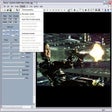
Experience JWMV, JW Media Viewer, from Sergio Triana Escobedo as a compact Windows utility for viewing and managing local media collections. The app plays video and audio, displays images, and offers playlist tools to order content for uninterrupted playback. It emphasizes a minimalist interface and low resource design while integrating with the desktop file system. Geared toward Windows users who want a straightforward, community-maintained media viewer for specific libraries.
Functionally focused, the app handles video, audio and still images alongside basic playlist management to sequence files for session playback. Moreover, it uses native desktop integration to access local folders and file metadata. In practice that means users manage collections stored on their PC and create ordered playlists without importing into a separate database, which suits small, curated libraries.
Low-footprint design stems from the application's lightweight architecture and its positioning as an alternative to more complex media suites. In addition, the tool's emphasis on quick navigation reduces background processing compared with players that continuously index large libraries. For typical desktop sessions this results in modest resource demands, making the app appropriate for machines reserved for everyday media playback.
Open-source availability on GitHub lets users inspect the codebase and submit issues or feature requests through the repository's issue tracker. In addition, the project is listed as free, so contributors can propose changes or review pull requests. This model supports collaborative maintenance and enables technically inclined users to adapt the tool to regional file formats or workflow needs.
Accessible playback arises from a minimalist interface designed for quick learning, while deeper customization and contributions require development skills. The app runs on Windows and typically requires the .NET Framework or Runtime to execute, so installation on a fresh system needs that runtime present. Experienced users can extend behavior via the repository, whereas non-technical users can use default controls without scripting.
JWMV is a pragmatic option for Windows users who manage focused local collections and prefer a community-driven tool with minimal extras; it does not include advanced editing or streaming modules found in larger suites. Practical tip: confirm your desktop's media codec support before relying on high-definition playback, since the app uses the underlying Windows media codecs for format handling.
Free
A free tool for media file viewing
Free
Minimal, fast media viewer for mixed image and video folders

Free
CORNPlayer - The New Media Player Overview

Free
YUView: a specialist YUV player for codec analysis and inspection
Free
Play and manage multiple streams of video, audio or pictures