
3.3
Trial version
MyBrushes for Mac
Take Or Make A Brush And Draw Fine Art.


Safe & trusted downloads
The best software, verified by experts
Hands-on Digital Drawing Application for Personal Use
This application can be used as a replacement for other common drawing-related tools such as Microsoft Paint. It offers an intuitive interface as well as a number of editing options.
JobsPainter can be a great idea for those who are looking to use a highly simplified image creator and editor. While not offering more advanced functions such as the ability to create layers, the point-and-click nature of this application is beneficial in the event that a quick sketch or drawing needs to be made without any hassles. Another interesting benefit is that a mere 2.5 megabytes of memory is needed; perfect for operating systems that might otherwise experience performance issues.
JobsPainter comes equipped with a host of standard drawing and editing tools. Some of these include zoom functions, a variety of paintbrushes and access to basic polygons that can then be embedded within an image.

Free all-in-one video editor for everyone

A Top-Quality Graphic Design Software that’s Free

Precision design that scales with your creative vision

An industry-leading software that turns designs into reality

Enhance your photos to perfection
Trial version
Take Or Make A Brush And Draw Fine Art.
Trial version
Explore Creativity with TabletDraw for Mac
Paid
Fun and Intuitive Digital Sketchpad for Personal Use

Paid
My PaintBrush - Create and edit digital drawings in no time!
Paid
Paint And Draw Easily With Intuition And Feeling.

Software Application to Create Attractive Templates
A trial version program for Mac, by Riuz.
Patterno: A Graphic Design Tool for Mac

A full version app for Mac, by Jumsoft.

Adjust the color balance of images
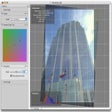
Intuitive photo editing
Create 3D scenes from your movies
Prompting at a professional level

A full version program for mac

ColorTheory: A Graphic Design Tool for Mac
Choose related colors
Record and publish live presentations