

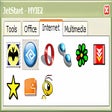
JetStart for Windows
- Free
- 3.1(4)
- 1.1K
- V 4.4
Navigating your computer via the Start menu can get a little tedious at times. JetStart is designed to give you quick access to categorized Start Menu shortcuts, recently launched programs and system commands.
You simply type a few letters and JetStart will show matching applications as you type. Once you've found the program or file that you're looking for, you can immediately launch, drag to desktop or uninstall it.
Benefits of JetStart:
- Convenient keyboard interface
- Organize shortcuts with drag and drop
- Launch multiple programs at once
- Activated by hot-key or from the tray icon
- Drag files from Toolbar to Desktop, etc.
- Docking to the screen edges
- Freely resizeable with mouse
JetStart for PC
- Free
- 3.1(4)
- 1.1K
- V 4.4





Discover more programs

Smart Defrag
- 4.2
- Free
Smart Defrag

Microsoft Virtual PC
- 3.5
- Free
Download Microsoft Virtual PC for Windows

nCleaner
- 3.5
- Free
A free Software utilities program for Windows

SideSlide
- 4.1
- Free
Keep your desktop spick and span

qutebrowser
- 4.3
- Free
Efficient Keyboard-Centric Web Browsing

Intel Endpoint Management Assistant
- 4.5
- Free
EF Commander Lite
- 3.3
- Trial version
File Manager

WinExt Bulk Renamer
- 4.9
- Free
A free program for Windows, by trisun-software-limited.
Softonic - Program test 8
- 4.5
- Free
A free program for Windows, by Grijander Companies, LLC.
MyPopupKiller
- 3.8
- Free
Get rid of those annoying windows for good
Horodruin
- 3.1
- Free
Synchronize data between several folders

File & Folder Lister
- 4.2
- Trial version
File & Folder Lister (2FL) is used to output your files/folders...