3.2
Free
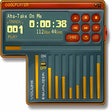
Zinf Audio Player
Handy, fast audio player for MP3, OGG and Audio CD


Safe & trusted downloads
The best software, verified by experts

Jampal supports MP3 encoded audio files with ID3v1 and ID3v2 tags. If no tags exist on the files they will be added the first time a tag update is performed. There is no support for WAV files, OGG vorbis, WMA, etc. Any attempt to add files of these types to the library will result in an error message. Files can only be played once they have been added to a library or to a playlist.
Jampal can successfully read all versions of ID3 tags: ID3v1, ID3v2.2, ID3v2.2.1, ID3v2.3, ID3v2.4. It can read tags that are "unsynchronized" or "non-unsynchronized", and compressed tags. This is more comprehensive than most other programs.
Jampal writes ID3v1 and ID3v2.3 tags (non-unsynchronized, non-compressed). These are the versions that almost all players support. If a file has a different version of tag or one that is compressed or unsynchronized, it will be converted the first time it is updated by Jampal. Also if there is only an ID3v1 or only an ID3v2 tag the other will be created the first time the tag is updated by Jampal.
Audio player controls exist at the top of the library window and also at the top of the playlist window. From the library you can play a single track, while the playlist will play all tracks in succession. Songs in the playlist can be played in any sequence or shuffled into random order.

Efficient Audio Conversion with Quick Media Converter

Convert DRM to MP3

TuneCable iMusic Converter

Extract just about anything from an audio CD

Displays a tip with information about MP3

Virtual recorder for Internet music streaming

Automatically download podcasts your mobile device

Free all-in-one multimedia player

Enhance Your Audio with MAGIX Music Cleaning Lab

Free Audio Software for Windows Users
Camera Photos Recovery Software Overview
WAV file editor that lets you merge wave samples