




4.9
Free
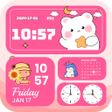
WidgetKit: Widget Wallpapers
Customize Your Android Home Screen with WidgetKit


Safe & trusted downloads
The best software, verified by experts
<h2>All-in-one theme and widget control for Android</h2>
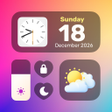
iThemes- Icon Widget Control by TF Incredible Apps is an Android personalization app that centralizes home-screen styling, letting users create cohesive visual themes and layouts. It provides browsing and application of themed packs across icons, widgets, and wallpapers, plus a DIY icon editor for custom symbols. The app includes an integrated control panel for quick toggles and targets Android users who want detailed aesthetic control of their device's home screen in a single interface.
The app centralizes home-screen configuration into a single interface and applies complete visual sets with a one-click action, reducing the need to mix utilities. It operates directly on standard Android home screens and does not require an external launcher, with stated compatibility for major manufacturers such as Samsung, Xiaomi, and Oppo. The one-click application and integrated control panel let users switch looks quickly during routine use.
iThemes exposes granular icon editing and widget variety, including controls to change icon shape, color, and label text through its built-in creator. The widget library supplies functional pieces such as clocks, weather panels, photo frames, battery indicators, and calendars, which can be placed on the home screen alongside chosen icons. These elements support detailed visual matching for users aiming for a consistent desktop presentation.
The app targets Android 8.0 and later and installs as a standard personalization application without additional system hooks. The developer updates the theme library regularly, keeping new categories available over time. Installation does not force a separate launcher; daily use relies on the app's interface and the control panel for quick toggles. The listing does not provide CPU or memory metrics, so resource impact depends on selected widgets and animated elements.
The tool best suits users who prioritize cohesive aesthetics, since its workflow groups visual elements and provides editable material for personalization. The app is generally well-received for its all-in-one approach and for simplifying the process of matching icons with widgets. Casual users seeking only small tweaks may find the breadth of styling categories and controls more than they require, while creative users get both premade and editable options.
iThemes is a practical choice for Android users who want a single place to craft a consistent home-screen aesthetic, and it supports both premade and editable content. Users who prefer minimal, occasional tweaks may find the breadth of options unnecessary. As a practical tip, test a single theme and the control panel toggles before applying a full set to confirm compatibility with your device skin.
Free
Customize Your Android Home Screen with WidgetKit
Free
Personalize Your Android Home Screen Effortlessly

Free
Transform Your Home Screen with Widgeet
Free
Enhance Your Android Home Screen with Colorful Widgets

Free
Transform Your Home Screen with Color Widgets
Free
Transform Your Android Home Screen with iTheme