

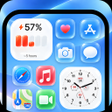
iLauncher OS 27: Dou Themes for Android
iLauncher OS 27 brings an iOS-like, customizable home experience to Android
- Free
- 4.5
- 1
- V 1.0.0
iLauncher OS 27 brings an iOS-like, customizable home experience to Android
Experience iLauncher OS 27: Dou Themes, from CREED HOUSE INC, a personalization utility that converts Android home screens to an iOS-style environment for aesthetic-focused users. The app replaces the launcher, supplies an integrated control center, widgets, and a curated Dou Themes engine to change icons and wallpapers. It targets former iPhone users and personalization enthusiasts who want a modern, organized interface with quick access to toggles and smart app categorization.
What does iLauncher OS 27 do for your device layout?
The app acts as a complete launcher replacement that applies a Futuristic OS 27 visual layer, a control center, and iOS-style widgets. Dou Themes supplies dual-layered themes that alter icons, wallpapers, and interface elements together. The Smart App Library automatically sorts installed applications into folders, which reduces home-screen clutter and changes navigation behavior compared with a stock launcher.
Does iLauncher affect system performance during daily use?
The developer describes the launcher as optimized and lightweight for smartphones and larger screens. In practice, active widgets and high-fidelity animations produce more background activity than a plain launcher; battery impact depends on chosen widgets and animation settings. Users who disable live widgets or reduce animation density can lower the runtime load on the device.
Is it safe to run on a primary device?
The launcher requests typical home-app permissions to replace the default interface and offers a Hide Apps feature to remove icons from the main grid. These behaviors are normal for device launchers. The app does not state elevated system writes beyond replacing the home app, and the control center exposes common toggles like Wi-Fi and Bluetooth without claiming direct system-level changes.
Do I need technical knowledge to configure its features?
Setup is guided with on-screen prompts to set the launcher as the default home app, and the Smart Search and Smart App Library are automatic once installed. Theme application is handled through the Dou Themes engine, so casual users can apply prebuilt styles, while enthusiasts can adjust widgets and icon packs for deeper customization without developer-level experience.
Practical pick for aesthetic-driven Android users with one clear trade-off
iLauncher suits Android users who want an iOS-inspired look and organized home screens and who accept some added resource use from animations and widgets. The single notable caveat is the presence of advertisements reported in user feedback, which can interrupt the personalization flow. For those prioritizing visual fidelity over an ad-free setup, the app performs as a focused customization tool.
Pros
- Dual-layered Dou Themes change icons, wallpaper, and UI together
- Smart App Library automatically categorizes installed apps
- Integrated control center offers swipe access to common toggles
Cons
- Active widgets and animations increase resource use depending on settings
- Advert interruptions appear in user reports
- No mention of an explicit in-app backup before theme changes
iLauncher OS 27: Dou Themes for Android
- Free
- 4.5
- 1
- V 1.0.0




