




3.9
Free
IconTweaker
Customize the icons on your PC


Safe & trusted downloads
The best software, verified by experts

<h2>System-wide icon editor with context menu access</h2>
IconChanger by Shell Labs is a Windows utility that lets users reshape desktop iconography and file-type visuals for clearer navigation and themed desktops. The app modifies almost any icon across the system, including file types, folders, and drives, and includes extraction, search, and batch tools to find and apply icons. It targets desktop personalization enthusiasts and users who rely on visual cues to organize files and shortcuts without deep system tinkering.
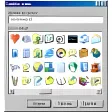
IconChanger edits system-level icons that are typically locked by default, giving access to resources embedded inside executables and libraries. The app's built-in scanner locates icons inside EXE, DLL, and ICL files so users can pick higher-quality images buried in system files. That capability is the basis for replacing default folder, drive, and file-type icons without manually hunting down resource files.
The tool supports targeted and bulk assignments, letting users change single items or apply a set across many objects at once. The interface exposes per-object assignment for files, folders, and system shortcuts via a right-click entry, and includes batch processing to apply a consistent theme across multiple folders or file types. This approach suits users who need visual grouping or consistent icon sets.
Shell Labs describes IconChanger as having an extremely lightweight footprint, which keeps it unobtrusive during daily use. The software integrates into the desktop context menu for quick access rather than running heavy background services. Compatibility notes warn that some system-level icons on recent Windows releases can require administrative permissions, so applying changes to protected icons may prompt elevation.
Setup is straightforward for its audience, with context-menu integration and a basic main interface for browsing and assigning icons. The design reflects an older era of Windows utilities, which keeps workflows direct but may look dated to users expecting modern visuals. The app's focus is practical control of icon resources rather than a redesigned configuration experience.
IconChanger is a practical option for desktop personalization enthusiasts who want direct control over system and file-type icons; its extraction and batch tools support deep theming across many objects. The app includes a one-click restore for undoing changes, but its older-style interface and possible administrative restrictions on modern desktops make it less suitable for users seeking a modern configuration experience.
Free
Customize the icons on your PC

Trial version
Handy and Fun Icon Personalization Software for Personal Computers

Free
Customize Your Windows Icons with IconPhile
Free
Free software to change the colour of folder icons
.png)
Free
Search and replace the standard icons of folders/drives

Trial version
Change Windows icons in a click

Easily transfer files to your Samsung device

Charming desktop pets to brighten your workspace

Bar code creator tool for your computer
Extract icons from EXE, DLL, OCX and CPL files

Cloud-based software to create, modify and share PDF documents

Free icon managing tool

Add shortcuts to your sidebar in Windows Vista
Enhanced Typing with Comfort On-Screen Keyboard Pro

Customizable Desktop Experience with HTC Home
A Free Desktop customization program for Windows
Software to Customise Your Windows Experience

Free software to customize the user experience of Windows operating systems