




2.9
Trial version
HyperNext Studio
Create cross-platform software for beginners


Safe & trusted downloads
The best software, verified by experts
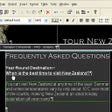
Hypertext Studio includes everything you need to create stunning web sites. Table drawing tools make it easy to lay out your page, the HTML source editor allows you to edit your page by hand.
Site and link management tools make completing your site a breeze.
What you see in the editor is what you get when you view your completed content. Visual drag-and-drop editing makes it easy to design topics and insert links.
Multiple topic windows can be opened at the same time and creating links is as simple as drag and drop.
Creating these expanding regions has been very difficult and required a knowledge of scripting. However, in HyperText Studio 5. 0 this all changes.
Our new expanding regions feature gives you totally WYSIWYG editing of these regions, meaning no more guesswork about how your page is going to look.
Simply insert your graphic and then use the rollover property page to select the graphic to display when the mouse moves over your graphic and the HyperText Studio does the rest.
Changing the original style will then change all pages that use the style.
The attributes of each supported tag can easily be edited through the properties box interface. As you add tags or attributes into the editor the program will help you by providing drop-down lists to help with your selection.
You can also clean existing content that comes in from Microsoft Word, removing undesired HTML markup. You can even define your own rules to add/remove or edit your own tags and attributes.
If you wish to create a new style, you can simply define it in the WYSIWYG editor, type the new name into the styles drop-down menu and the HyperText Studio will help you to add the new style to an existing style sheet, a new style sheet or directly into the page.
Magnify your picture up to 1600% for greater accuracy than with any other tool on the market.
At last, no more guessing about how your page will look. You can even edit your topics within the frames editor. Drag the sizing bars to visually resize a frame.
Trial version
Create cross-platform software for beginners
Trial version
EditRocket: A Versatile Programming Tool for Windows

Trial version
Easy to use, lightning-fast C# editor with visual form design

Free
Convert website HTML page to PDF
Trial version
Efficient JavaScript Editing Tool for Developers
Trial version
A trial version app for Windows, by Modelworks.

Big-file editing without blinking

Excellent hexadecimal editor with many advanced functions
User-friendly Windows installer
Convert your applications to NT/2000 services
Free and Streamlined GUI Integration Software for Personal Computers

A trial version program for Windows, by Technologismiki.
Code to FlowChart is designed to convert source code to flowchart....
ABarCode lets you print bar codes in your Access reports
Excellent and easy-to-use development visual editor
Host Office documents on a Web page or as part of a form

.NET Component for TWAIN Scanning | Scanner SDK