





4
Trial version
XP Recovery CD Maker
Rescue tools on a boot CD for WinXP and Win2000


Safe & trusted downloads
The best software, verified by experts
Practical system recovery toolkit
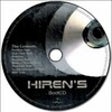
Hiren’s BootCD PE is a free recovery environment designed to help diagnose, repair, and maintain computers that fail to boot normally. Rather than acting as a standard installed application, Hiren’s BootCD PE runs as a self-contained environment loaded from removable media, giving users access to a wide range of utilities without relying on the host operating system. This approach makes Hiren’s BootCD PE especially useful for troubleshooting startup issues, disk problems, and system misconfigurations when normal access is unavailable.
Hiren’s BootCD PE includes a broad collection of commonly used recovery, diagnostic, and maintenance tools, grouped into clear categories for faster navigation. These tools cover areas such as disk management, data recovery, hardware diagnostics, password utilities, and system information. By consolidating multiple free utilities into one environment, Hiren’s BootCD PE reduces the need to search for and install individual tools during critical situations, helping users focus on resolving problems efficiently and accurately.
Hiren’s BootCD PE is typically prepared on removable media and used to start a system independently of its installed operating system. This design allows Hiren’s BootCD PE to function consistently across different machines, regardless of their internal software state. Because the environment is self-contained, it avoids permanent system changes and can be reused across multiple devices. This portability makes Hiren’s BootCD PE suitable for repair tasks, system checks, and maintenance workflows in both personal and professional settings.
Hiren’s BootCD PE serves as a dependable solution for users who need direct access to recovery and diagnostic tools outside a normal desktop environment. Its strength lies in breadth and organization rather than automation, favoring hands-on control for problem solving. While it assumes some technical familiarity, Hiren’s BootCD PE remains a practical choice for resolving system issues, managing disks, and performing essential maintenance when standard tools are unavailable.
Trial version
Rescue tools on a boot CD for WinXP and Win2000

Free
Set of tools on a boot disk that may help you in an emergency

Free
Fix A Busted Computer That Won't Boot For Free

Trial version
Avoid crashes and corrupt registry files in XP
Bypass Internet Restrictions with GoodbyeDPI

Free up disk space by wiping unused files

The Ultimate CD and DVD data recovery tool

Securely and effectively deletes any file that is locked or in use by windows

Find active processes and DLLs in your system

Restore any files
Efficient TLS/SSL Certificate Management Tool
Secure Password Storage with Lockbox Local
Keep Your PC Awake with Trayffeine
Comprehensive Offline PDF Editor for Windows
Efficient CLI Tool for GitHub Workflows