





3.4
Free
HDD Health
Maintain your hard disk's state and functionality


Safe & trusted downloads
The best software, verified by experts
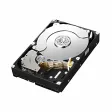
Check your hard drive’s performance
HDD Expert is a handy utility software that gives users a complete view of the status and health of their hard drives. It is a user-friendly solution that offers detailed information about your computer’s storage unit—HDD and SSD— based on the S.M.A.R.T attributes and presents them in a language that you understand. Furthermore, it makes recommendations for maintenance and even notifies you about fan upgrades, backups, and other available tasks for your drive’s health.
With HDD Expert, you can find the status of your hard drive, from its temperature to the cycles and hours it’s been functioning. You can even find out secondary information, such as model, serial number, and capacity. As noted, it checks your drive’s health according to the S.M.A.R.T attribute classification—failures, health, performance, temperature. By doing so, you can take the correct action to maintain your HDD.
More than reporting the status of your storage in a manner you understand, the app also recommends webpages where you can find and purchase fans, spares, backups, and other tools for your drive. With this, you can make sure that you are making the right choice whenever you make an upgrade. Other actions can also be made to improve your PC’s performance, such as clearing shared files and disk cleaning.
HDD Expert comes with a clean and user-friendly interface. It is easy to navigate that even a PC novice will find it easy to use. Upon launching, all the information you need about your HDD is displayed. The buttons for fans, spares, and backup, meanwhile, are available on top of the screen, for you to easily get to them whenever you want. However, while it is easy to use, the window looks a bit outdated.
In conclusion, HDD Expert is a must-have computer utility. The app helps maintain your HDD or SDD in good working condition by providing you with detailed information about its status. It also makes periodical maintenance of your storage device and even recommends the best upgrades. It is also easy to use as you only have to launch it to get the hard drive details that you need.
Free
Maintain your hard disk's state and functionality

Free
System Mechanic Free is designed for all users

Free
A free app for Windows, by SIRprise
Free
Get rid of files that are difficult to delete
Trial version
Integrated software for creating audio CDs

Free
Stay on top of your media collection
Efficient Task Management with Freebyte Task Scheduler
Easily manages multiple open windows

Install the latest driver for HP f4210

A Really Thorough PC Cleaner

Efficient SMS Management with Pulse SMS

Essential Drivers for Windows CE 5.0

Efficient Linting for Git Commit Messages

Efficient MSMQ Monitoring with QueueMonitor Standard

Comprehensive Cryptography Tool for Windows

Efficient DNS Management with SmartDNS-rs Tool

Efficient OIDC Command Line Tool for Windows

Efficient Tool for Bot Application Development