

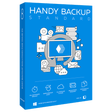
Handy Backup Standard for Windows
Easy backup solution with automatic protection, flexible scheduling, and cloud/local support.
- Trial version
- 4.4
- 25
- V 8.6.8
Easy backup solution with automatic protection, flexible scheduling, and cloud/local support.
Handy Backup Standard is an easy-to-use data protection software designed for individual users who need a reliable and flexible way to safeguard their information. As an automatic backup solution, it helps protect important files, documents, photos, and emails by creating scheduled copies and securely storing them on local drives or in the cloud. The software is built to simplify file protection processes while ensuring that users can quickly restore their data in case of loss, system failure, or accidental deletion.
Main features
Automated file protection with flexible scheduling options
Compatibility with local, external, and cloud storage
Email archiving for popular services and protocols
Incremental and differential copy methods to save time and space
Secure data transfer with encryption options
User-friendly interface suitable for both beginners and advanced users
How it works
Handy Backup Standard operates through a simple task-based system. Users can create tasks by selecting the data they want to protect, choosing a destination (such as an external drive or a cloud storage service), and setting a schedule. The program runs automatically in the background, ensuring that copies are created without manual intervention.
The software supports various data protection methods, including full, incremental, and differential approaches. This allows optimizing storage usage and reducing the time required for each operation. Additionally, thanks to the built-in email protection functionality, users can preserve their correspondence by saving messages from compatible services.
What's new in this version
The latest version of Handy Backup Standard introduces performance improvements, greater compatibility with cloud storage, and a more intuitive interface. Data protection processes are now faster and more stable, while expanded support for modern storage solutions provides greater flexibility. Updates also include enhancements to email archiving and data security features.
System requirements and limitations
Handy Backup Standard is compatible with Windows operating systems and is designed for personal use. It operates efficiently on modern computers without requiring significant system resources.
The Standard edition includes essential file protection and automation features, making it ideal for home users. However, advanced functionalities such as server protection, database processing, and network solutions are only available in higher versions of the software.
Handy Backup Standard for PC
- Trial version
- 4.4
- 25
- V 8.6.8
Top downloads





Discover more programs

Free SD Memory Card Recovery
- 3.9
- Free
Free recovery tool for SD cards and more

HP USB Recovery Flash Disk Utility
- 3
- Free
Flash Drive Recovery Tool For Your Laptop

iMyFone AnyRecover for Windows
- 5
- Trial version
Reliable Data Recovery Tool for Windows Users

Bart
- 4.5
- Free
A free program for Windows, by Zhorn Software

Mozilla Thunderbird Backup Tool
- 4.9
- Paid
Advanced Thunderbird Backup and Migration Tool

Computer Data Recovery
- 4.9
- Paid
Efficient Computer Data Recovery Software
SysTools Zoho Backup Tool
- 4.5
- Paid
SysTools Zoho Backup Tool is a secure Zoho Mail backup tool for safe email protection.

Wondershare PDFelement Cloud
- 4.9
- Subscription
Edit, store, share with this cloud-based document management program

Softaken Yahoo Backup
- 4.5
- Trial version
Softaken Yahoo Backup Overview

iMyFone TunesMate
- 3.5
- Trial version
Transfer music, videos, photos between iPhone and iTunes and computer

iMyFone iTransor for Windows
- 3
- Trial version
A flexible alternative to iTunes backups
NTFS Data Recovery Application
- 4
- Paid
NTFS Data Recovery Application Overview