




3.1
Trial version
DrumStation
Create your own rhythms


Safe & trusted downloads
The best software, verified by experts

<h2>HammerHead Rhythm Station: Classic Windows Drum Machine for Looping</h2>
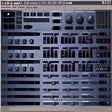
You enter a small, focused sketchpad for beats: HammerHead Rhythm Station by Bram Bos is a classic Windows drum machine designed to make fast loop creation effortless. It centers on step-based sequencing and quick kit edits so you can build electronic patterns in minutes. The app pairs built-in samples, a distortion unit, swing control, and direct disk export for producers and hobbyists who want a compact, vintage digital drum sound with minimal setup.
You use HammerHead as a hands-on pattern generator modeled on vintage hardware workflows, aimed at sketching techno, house, jungle, and industrial loops. The tool implements a 16-step grid and a pattern sequencer that supports up to eight measures, letting you arrange repeating blocks quickly. The design favors rapid iteration over deep arrangement, so you can prototype rhythmic ideas without opening a full DAW.
You import and export audio with clear technical boundaries: the app accepts user samples in 44.1 kHz, 16-bit, mono RAW or WAV format, and it can export CD-quality WAV or RAW files using the Stream to Disk feature. Sound playback routes through six separate audio channels, and you get 29 built-in drum samples plus six slots for your own sounds to build kits on the fly.
You encounter an interface with a near-zero learning curve, aimed at immediate results rather than long onboarding. That ease of use suits newcomers and producers who want quick loop sketches. The trade-off is a focused toolset: the design prioritizes fast pattern creation and vintage tonal character rather than advanced mixing consoles or multi-track arrangements.
You can run HammerHead on modest hardware: it was written for older Windows editions and is lightweight by design. Users run it on recent Windows versions through Compatibility Mode and elevated privileges, and it is noted for efficient performance on legacy machines. A common troubleshooting note: silenced output can result when another program occupies the sound driver, so closing other audio apps often restores playback.
If you want to sketch raw electronic beats with speed and a characteristic 90s digital timbre, HammerHead offers a direct route from idea to exported WAV. You should choose it when immediacy and retro character matter more than deep arrangement or complex routing. The app serves as a creative entry point rather than a full production environment, ideal for rapid pattern-minded work.
Trial version
Create your own rhythms

Trial version
Groove box is designed with goal to give musicians a simple, yet effective way to practice.

Trial version
A new version of Winamp - available today
Trial version
Create dance, house, trance or techno music