

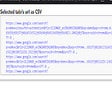
Get the selected tabs url as CSV for Chrome
Get the selected tabs url as CSV
- Free
- 4.3
- V 1.0
Get the selected tabs url as CSV
If you want to select multiple tabs all at once and retrieve the URL of those tabs in comma-separated values, "Get the selected tabs url as CSV" is the perfect Chrome extension for you. This free add-on developed by Dubbu falls under the category of Browsers and specifically the subcategory of Add-ons & Tools.
With this extension, you can simplify your workflow by easily obtaining the URLs of multiple selected tabs in a CSV format. Instead of manually copying and pasting each individual URL, this tool allows you to quickly export all the selected tab URLs with just a few clicks.
By using "Get the selected tabs url as CSV," you can save time and effort, especially when working with a large number of open tabs. Whether you need to share the URLs with colleagues or organize them for future reference, this extension provides a convenient solution.
Please note that this extension is available exclusively for the Chrome browser and is completely free to use.
Get the selected tabs url as CSV for Chrome
- Free
- 4.3
- V 1.0
Top downloads

Winning Eleven 2012 APK Download v1.0.1
Explore a fun plug-in

Kinemaster for Pc - Download For Windows/Mac
Desktop video editing made accessible and efficient

Netmirror Extension
Efficient HTTP Header Management with Netmirror Extension

ZED: Zoom Easy Downloader
A free app for Chrome, by Zoomcorder.com.

Instant Data Scraper
A quick scraper for browser-based data collection
Discover more programs

Github Pinned Repos
- 4.3
- Free
Enhance Your GitHub Experience with Pinned Repos

Base64 decode & copy
- 4.8
- Free
Decode & Copy Base64 Text with Ease

Запятые онлайн
- 4.2
- Free
Online Punctuation Checker: Запятые онлайн

Crypto Ticker - Revamp
- 4.9
- Free
Crypto Ticker - Revamp: Cryptocurrency Price Tracker

UF Auto Refresh
- 4.7
- Free
Automatic Page Refresh Tool for Chrome

Web Notepad
- 4.9
- Free
Web Notepad: A Free Chrome Extension for Easy Note-Taking

Tab Editor
- 4.6
- Free
A free program for Chrome, by neuq.darcy.

Steam Fiyat Çevirici
- 4.5
- Free
Steam Price Converter for Chrome

Rouvy beautifier
- 4.4
- Free
A free app for Chrome, by jiri.fabian.