





3.5
Free
Lime3DS
Lime3DS: A User-Friendly Nintendo 3DS Emulator


Safe & trusted downloads
The best software, verified by experts
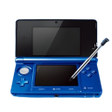
<h2>Gemu: High-performance 3DS emulator for Android handheld gaming</h2>
Gemu: 3DS Emulator, from PT. GAYA HIDUP BERSAMA, brings Nintendo 3DS emulation to Android devices to recreate handheld play on phones and tablets. It focuses on smooth, lag-free play through optimized emulation logic and supports multiple control layouts plus a companion controller app for dual-device input. Key tools include save-state slots, fast-forward and a library scanner to organise ROMs. Retro gaming enthusiasts on mobile devices get a performance-focused local emulation option.
Gemu recreates Nintendo 3DS titles by translating cartridge-era calls into operations the phone can execute, using optimized emulation logic to prioritise frame-rate stability. The core result is playable frame pacing and responsive input handling on capable hardware. For users this means games present with reduced stutter and consistent timing, which matters for action and rhythm titles where input latency affects playability.
Performance depends on device capabilities; the developer optimised the code path to reduce excessive thermal load on demanding titles. On devices that support hardware acceleration, heat generation and CPU contention are addressed through offloading where possible, which helps maintain session length without sudden throttling. Users should test a single game first to confirm sustained frame rates on their specific handset.
Privacy practices are explicit: the tool does not collect or share user data with third parties, so game libraries and play activity remain local. Save-state features include both auto-save and manual slots to protect progress against crashes or accidental exits. The emphasis on local control reduces cloud exposure and aligns the app with users who prefer on-device handling of ROMs and saves.
The interface uses tailored screen layouts and configurable control schemes that let players map touch or external inputs for different game types. Companion GamePAD integration allows a second device to act as a wireless controller, which requires pairing but expands input options. The built-in scanner organises titles automatically, making library management easier for collectors who keep many files on their device.
Gemu is a capable option for retro gamers who want local 3DS play on Android and are comfortable tuning settings for specific titles. User reception notes steady improvements, and the latest release appeared in June 2026, indicating active maintenance. Practical tip: keep the app updated before extended sessions to benefit from incremental fixes and compatibility updates. Recommended.
Free
Lime3DS: A User-Friendly Nintendo 3DS Emulator

Free
33DDSS Emulator - 3DS Emulator

Free
33DDSS Emulator: The Mobile 3D Emulator

Free
Ultimate Retro Game Emulator for Android

Free
Play classic GBA titles on modern devices

Free
J4U Retro Game Emulator: Multi-system classic gaming on Android