
4.9
Free
Weather Lite
Weather Lite: Your Daily Weather Companion


Safe & trusted downloads
The best software, verified by experts
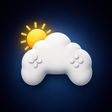
<h2>RPG-styled weather app that turns forecasts into a game HUD</h2>
Game Weather IRL, from dtapps.co, is an Android weather app that reimagines forecasts as a video-game interface to make daily checks more engaging. The app delivers real-time, location-based weather with hourly and daily outlooks, presenting temperature, humidity, and wind in a themed HUD and animated backgrounds. It targets gamers and fans of RPG aesthetics who prefer atmospheric, stylized presentation over conventional chart-driven forecasts.
On a phone the app replaces plain lists with an interface modeled on action-RPG menus, so a quick weather check reads like scanning an in-game status screen. Real-time, location-based tracking updates the display and the app presents hourly and daily outlooks in a stylized format. For users who value visual cues, those animated backgrounds and stat-like displays make it faster to judge conditions at a glance.
The app includes a global search that lets users look up and save different locations, which supports trip planning and multi-city monitoring. It runs on Android and is compatible with modern versions of the platform, so setup primarily requires granting location access to enable localized forecasts. That search function acts as a practical tool for comparing distant weather quickly before a journey.
Forecasts come from standard weather data providers, which keeps reported conditions synchronized with real-world measurements and supports short-term planning. The combination of live updates and hourly/daily forecasts gives the app enough precision for routine choices, such as commute timing or deciding to carry an umbrella. Dynamic visual feedback signals changing conditions without forcing users into detailed tables for routine decisions.
The app requests location access to provide localized weather, reflecting its real-time tracking capability. The developer emphasizes themed visuals, and accessibility options are not listed among highlighted features, so screen reader support or high-contrast modes are not prominent. Weather is pulled from external providers rather than claiming local-only processing, which explains why location data is used to fetch matched forecasts.
Game Weather IRL fits users who want an atmospheric, design-forward way to check conditions during morning routines or while planning trips, rather than a stripped-down numeric readout. It works well as a companion to a primary weather reference when precise thresholds matter. Pro tip: treat the app as your visual cue provider and consult a dedicated numeric source for decisions that require exact measurements.
Become a cargo truck driver in this 3D simulation game

Easy access to the weather screen

Maruti 800: Extreme Modern City Car Drift Drive - A Review

Surviving in the Jungle

Realistic Horses for MCPE
Free
Weather Lite: Your Daily Weather Companion

Free
Cotton Kitty-Weather Forecast for Android from Guroom Cat

Free
Comprehensive Weather Forecast App for Android

Free
A free app for Android, by sajmons.
Free
A free app for Android, by Life Assistant Studio.

Free
A free program for Android, by Pesta Apps.