0.9
Trial version
PowerPoint Password Recovery
Recovers lost Microsoft PowerPoint passwords


Safe & trusted downloads
The best software, verified by experts

A basic tool for unlocking PowerPoint files
Free PowerPoint Password Recovery is a lightweight utility designed to help users regain access to locked PowerPoint presentations. Whether you've forgotten the password to open a .ppt or .pptx file, this tool offers a straightforward recovery process using common attack methods. It's built for simplicity and is especially useful for users with basic recovery needs or occasional file access issues.
With a minimal interface and local processing, it appeals to users looking for a quick, no-frills solution. While it's not the fastest or most advanced option, it does support multiple recovery types and keeps your data on your device, preserving file safety.
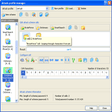
Recovery begins by uploading your locked file and selecting one of the available attack methods—Brute-force, Dictionary, or Mask. Brute-force tries all combinations, while Mask narrows the field with parameters like password length or character type. Dictionary mode uses common or user-supplied word lists to speed up recovery. These flexible approaches let users balance speed and accuracy, depending on how much they remember about the original password.
The tool supports PowerPoint formats from 97 through Microsoft 365, including .ppt, .pptx, and .pptm. Most versions run entirely offline, ensuring that sensitive files stay on your device. This local processing avoids cloud risks, making it ideal for business or personal use. However, the program only targets open-password recovery—it doesn’t remove editing or formatting restrictions, which may limit its usefulness for locked presentation content.
Recovery performance varies depending on the password’s complexity and your system’s hardware. Basic passwords often unlock in minutes, while longer or more random strings take longer. The software doesn’t support batch file recovery or GPU acceleration, and it won’t help with formats like Word or Excel. Still, for simple PowerPoint unlocks, it offers a reliable and accessible entry point with no cost attached.
Free PowerPoint Password Recovery is a practical option for unlocking presentations when you’ve lost or forgotten the password. It doesn’t come with advanced features like GPU acceleration or multi-format support, but it handles basic recovery tasks with ease. For users who want a free, offline solution without dealing with bloated software or complicated steps, it offers a simple and secure way to regain access.

Recover forgotten WiFi passwords

A powerful tool to recover your Excel password

Efficient Tool for Excel Password Recovery

A recovery tool for encrypted drive access

Free password recovery software for ZIP files
Trial version
Recovers lost Microsoft PowerPoint passwords

Trial version
PowerPoint password recovery tool

Free
Recover your Facebook password
Free
Recover forgotten WiFi passwords

Free
Comprehensive Security Assessment with Nessus

Free
Discover, Crack And List The Passwords Of Nearby Wireless APs.

Gain access to protected Excel files

Password manager with unlimited storage

Protect your accounts with 2FA

An App That Secures All Your Passwords and Card PINs

Free Excel Password Unlocker - Password Recovery Tool

Unlock Your Computer And Recover Your Windows Password With This Tool

Find your lost product keys

Open-source password manager for PC

Offline password management software for PC

Offline password manager

A password manager for PC devices

Protect your password generation