



5
Trial version
FontSuit
A powerful font manager


Safe & trusted downloads
The best software, verified by experts
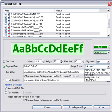
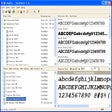
This font manager lets you preview and manage both installed and uninstalled typefaces, plus examine your system for font errors. You can display the list of installed font faces, customizable font samples and advanced font properties.
You can preview the font as a paragraph of text or as a detailed character map. It is easy to choose the desired font size, font style or color.
The program can control fonts located in the Windows Fonts and Psfonts folder (used by Adobe Type Manager), so you do not need to remove fonts from standard folders as some font managers require.
It is easy to add fonts or links by drag-and-dropping from the Windows Explorer to the Groups view.
It is easy to print character map, "water flow" or face name reports for selected fonts, either installed or uninstalled. You can customize and format page headers and footers as desired, for example, by adding the name of your company.
See the sample of HTML page created by FontExpert.
ttf or . otf file. FontExpert adds font management capabilities to the shell so it is easy to activate or print any font in a folder you browse in Windows Explorer.
Trial version
A powerful font manager

Free
Manage Fonts Easily with NexusFont
Trial version
Font manager and viewer

Free
One-click font folder reset and snapshot manager

Free
Seventeen fonts that simulate handwriting
Free
Explore Unique Designs with Artistic Font Collection

Comprehensive Font Design Tool for Windows

Professional Code 3 of 9 barcode fonts

Comfortably view all the fonts on your computer

Let your mouse cursor have fun

Charming Script Font for Creative Projects
Custom Handwriting Creation Made Easy

Coluna Rounded: A Versatile Typeface Family

Exploring the Versatile Geomancy Typeface
Automatically preview all your fonts
MultiFonts: A Versatile Font Management Tool