




4.2
Free
Folder Guide
Quickly open most used folders


Safe & trusted downloads
The best software, verified by experts

Most computer users use one main location where they store most of their files: My Documents. Often, My Documents contains many sub-folders containing other sub-folders. This structure makes it quite a hassle to get to the right location when opening or saving files. But that's not all: most of the time, one or two often used folders are for technical reasons not located inside My Documents, but somewhere else. A network location with global company files, an MP3-folder on a different harddisk, or a removable drive. Reaching all these different folders takes a lot of time.
But not with Folder View. Because Folder View enhances Windows and the Windows file Explorer in four ways:
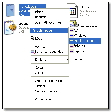
Folder View adds a toolbar to the Windows Explorer. With this toolbar, you can navigate to every folder you use often in a single click.
Folder View integrates with common Open/Save dialogs; giving you quick access to your folders from within almost all applications.
Folder View integrates with the right-click menus of files, allowing you to copy and move files and folders extremely quickly.
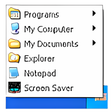
Folder View puts an icon in your system tray (near the clock), from which you can quickly launch all folders you use often, using the same menu-structure as the toolbar.
Free
Quickly open most used folders
Free
Quick access to your frequently used folders
Free
Copy files from multiple folders into one single folder
Free
Efficient Application Management with Advanced Launcher
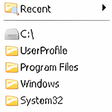
Free
Streamline File Access with Folder Menu
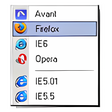
Free
A faster way to launch programs and open files

Mobile Live Operating System
Recovering data just got easier with the SD Memory Card Recovery
An advanced replacement for Windows Explorer
Efficient Home Design with CAD迷你家装

Monitoring PC Graphics Health

Efficient Management Tool for College Counselors

Explore Your Google Data with Elcomsoft Cloud eXplorer
Recover Microsoft Excel and OpenOffice spreadsheets from damaged disks

Win Big with WEB.DE MillionenKlick

A free app for Windows, by BellSoft.

PharoLauncher: An Efficient Development Tool

Generate random values for various elements, such as cards, coins, dices, words, list, etc.