




3.1
Trial version
Magic Folders and Encrypted Magic Folders
Make any folder you choose invisible to others


Safe & trusted downloads
The best software, verified by experts

Folder Castle: File and Folder Encryption Tool
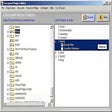
Folder Castle is a Windows application designed to enhance security and privacy by enabling users to control access to specific files and directories through encryption and hiding features. Integrated seamlessly with Windows File Explorer, this program simplifies the process of protecting files and folders with just a few clicks, accessible from both the toolbar and the file context menu.
To ensure secure operations, Folder Castle mandates the use of an administrator password set during installation. This password grants access to all protected files, adding an extra layer of security to sensitive data. Additionally, users can leverage Folder Castle to create an encrypted virtual storage unit for storing critical files securely.

Secure Your Data with GiliSoft Private Disk

A recovery tool for damaged and encrypted drives

Keep your files safe

PDF password remover unlock PDF file and allowed to use page level feature

Secure Your Data with FileStream Secure Disk
Create virtual encrypted containers to store any type of data

A free program for Windows, by Smartphoneware.

Saferoom is an encryption extension for Evernote and more.

Recover iTunes Backup Password for iPhone 5S, 5C, 5, 4S, 4, and 3GS

Lock, hide and encrypt all your important files and folders, password protects sensitive data from unauthorized access.

Digitally sign documents

Efficient Password Recovery Tool
