
4.9
Free
MyPaint
MyPaint: Minimalist digital painting with an expansive canvas


Safe & trusted downloads
The best software, verified by experts

<h2>FireAlpaca review: Lightweight painting and comic creation for Windows</h2>
FireAlpaca by firealpaca.com places you in a compact digital studio where quick sketches and sequential pages come together on modest hardware. The app serves as a painting and illustration tool, offering layered editing, basic animation, and panel layout for comic work. It bundles a customizable brush engine and perspective aids alongside PSD compatibility, so you can move projects between applications. You, a student or hobbyist on older Windows devices, gain a capable creative workspace with low system demands.
You use the app as a dedicated digital painting and illustration environment designed for manga and comic creation, not a photo retoucher. The program is presented as a free, lightweight tool that keeps the creative flow focused on drawing and panel composition. Because the developer optimized it for sequential art, you move from rough sketch to finished page inside one application without juggling separate utilities.
The app opens and saves PSD files, so you can transfer layered documents to other editors. Pen pressure sensitivity supports major tablet brands such as Wacom, Huion, and XP-Pen, making strokes feel natural. The app runs on both 32-bit and 64-bit Windows and is also available for macOS, and native support for ten languages helps you work in your preferred locale.
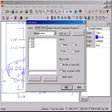
You encounter a clean layout with explicit layer controls that include blending modes, clipping masks, and folders, which helps keep complex pages organized. Built-in comic templates and panel-creation tools speed layout tasks so you spend less time measuring frames. A startup advertisement appears in the standard edition; an optional SE edition removes that banner and adds interface options.
You benefit from a program optimized for older, low-spec computers, which translates to fast startup times and responsive brush handling on entry-level machines. Users praise the brush stabilization for steady lines, and the app provides an Onion Skin mode for frame-by-frame animation. A 3D Perspective tool helps you place and draw three-dimensional objects directly onto the two-dimensional canvas.
If you want an accessible entry point into digital illustration, the app fits that role: the standard edition carries no feature limitations for commercial work, so your output can be sold or published. For you as a student or hobbyist, it removes licensing friction and lowers technical barriers; professionals seeking deep production ecosystems may still prefer larger suites.