




4.2
Free
FCleaner
Optimize Your PC with FCleaner


Safe & trusted downloads
The best software, verified by experts

Clean Windows and major web browsers effectively
FileCleaner is a cleaner for Windows; it's an alternative to software like
The primary function of FileCleaner is to remove personal data that can be retrieved or monitored, while its secondary function is to clean Windows so that it runs as quickly and smoothly as possible.
Among other features, FileCleaner allows you to uninstall browser toolbars and remove all data related to popular applications, as well as permanently removing some specific files.
The way it works is really simple: it's organized into categories, and thanks to the default settings, lets you perform a scan of all categories. The results will show you which files you can delete and how much space they occupy, helping you decide which ones you should delete. Although these are the default settings, you can define which sections you want to clean (or not).
When it comes to cleaning your browsers, toolbars, plug-ins and instant messaging software, FileCleaner erases data in real time or after you've closed the browser. It can permanently delete the corresponding files using Null, U.S. DoD and Gutman algorithms, which can be configured from the "Settings" menu.
FileCleaner also has aprogrammable function that lets you clean your system at regular intervals, at a time you can specify.
It should be noted that the Windows registry cleaner is only available in the paid-for version.
FileCleaner meets the standards for this type of software. While there are many cleaning applications on the market, they don't always perform everything (or even half!) of what they promise. Although FileCleaner doesn't include as many features as other software, it is definitely efficient at cleaning browsing and chat data, removing toolbars and deleting files securely.
In addition, FileCleaner is always available, not only because you can program the automatic cleaning function from the "Settings" menu, but also because it's always in the system tray if you want to scan or clean - useful for some, annoying for others.
FileCleaner is very easy to use. Its organization by category and the contextual help that appears when you hover over an option lets you know what you're about to do and what will happen during the process.
FileCleaner helps you remove any trace of your browsing history as well as remove any temporary Windows files. In addition, the secure deletion tool is a great help if you have private digital documents and you delete them by mistake.
Looking to the future, it might be interesting to include more features, like creating restore points or disk defragmentation.
Free
Optimize Your PC with FCleaner

Free
A free Software utilities program for Windows
Free
Delete unwanted files beyond recovery

Free
Optimize your system and save lots of space
Free
FCleaner Portable: A Handy Utility Tool for Windows

Free
File recovery tool for Home Users

A trial version Software utilities program for Windows
Control the size of your disk partitions

Repair all your registry problems in just a few clicks
Control the programs that run on Windows startup

Cost-Effective Performance Optimizer for Personal Computers
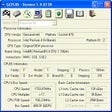
Detailed information about your processor and memory
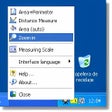
Measure distances, areas and perimeters of figures on the screen
Optimize Your System with PCSuite Defrag

A free program for Windows, by INTEL CORP.

A free program for windows
Connect your mobile phone to Skype and Outlook
Capture everything you cut or copy