



3.6
Free
PicoCrypt
Encrypt and decrypt files with this tiny utility


Safe & trusted downloads
The best software, verified by experts
Protect the Contents of Your Files
Encrypt Care is a user-friendly encryption software that helps you encrypt files on your computer. When you want to make sure that nobody accesses your sensitive files, this security app can help. It offers an easy-to-use interface that simplifies the process of file-encrypting. In fact, it only requires a few simple steps to complete the process. Once you've found the files you want to encrypt, you only need to enter the password, select the destination folder, and start the encryption. You can also decrypt your files effortlessly using this software. Encrypt Care even generates hash values for either files or texts. You only need to specify the type of checksum that interests you and leave the app to do the calculations. You can also compare the checksum to a third-party value to determine if your files are tampered with. All things considered, Encrypt Care is a good encryption solution. The only downside that the app has is that it does not allow you to set a master password for all your encryptions.
Free
Encrypt and decrypt files with this tiny utility

Free
It will encrypt your personal files with AES-256 encryption algorithm which is unbreakable from today's standards!

Free
Encrypt and decrypt files quickly and easily
Free
File access utility for PC

Trial version
Kaspersky KryptoStorage: Secure Your Data
Free
A free program for Windows, by 2brightsparks

Secure Your Data with Steganos Data Safe
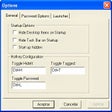
HideIt is the best way to provide desktop level security and privacy

A Free Security program for Windows

Data Protectors are the data-hiders of the office

Automatic encryption software to securely view websites

Encrypt your personal files with this simple utility
A Free Security program for Windows

A Free Security program for Windows

Protect and encrypt your data securely
Unlock PDF files so that you may edit them
Secure Your Calculations with Safe Calculator