




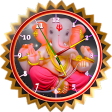
4.3
Free
Ganesha Clock
Ganesha Clock - A Personalized Clock for Android


Safe & trusted downloads
The best software, verified by experts
<h2>Turn an E-ink Module into a Low-Power Clock</h2>
Experience E-ink as a dedicated external clock with Eink Clock, developed by QS Tech to pair Android devices with external E-ink modules. The app manages Bluetooth connections, installs custom watch faces, and repurposes screens into a simple navigation display while letting you adjust hardware settings from the phone. It includes a built-in design interface, watch face tools, and a navigation mode, aimed at owners of compatible modules and IoT hobbyists seeking a minimal, low-power information panel.
The app acts as a bridge between an Android device and external E-ink panels, turning compatible modules into clocks or directional readouts. Key capabilities include Bluetooth pairing for display control, a design editor for custom layouts, and installation of bespoke watch faces.
The app runs on Android and requires Bluetooth support to communicate with external hardware, so the primary system activity is the active Bluetooth session on the device. Because display rendering occurs on the external module, most workload is offloaded from the phone; expect normal device behavior except while pairing or sending layout data. This design keeps on-device resource demand focused on the Bluetooth connection and interface actions.
The tool configures external hardware settings via the mobile interface and uses Bluetooth pairing as its communication method, which implies required Bluetooth permissions on the phone. The developer maintains the app with regular updates that address bug fixes and add features, which helps maintain compatibility and reliability over time. Users should follow the pairing prompts and grant only necessary permissions when connecting modules.
The integrated design interface and installable watch face workflow make basic layout creation accessible, while navigation mode offers a second purpose for those repurposing panels. Owners of compatible E-ink modules and IoT enthusiasts are the primary audience, so users without prior hardware experience may face a learning curve when configuring module-specific settings. Those comfortable with device pairing and simple hardware setup gain the most practical value.
The app is a practical option for Android users who own compatible E-ink modules and want dedicated, low-power secondary displays; ongoing maintenance and design tools support long-term use. The main limitation is hardware scope, it depends on compatible E-ink panels and Bluetooth pairing, which keeps the app focused on a niche group rather than general, plug-and-play display needs.
Free
Ganesha Clock - A Personalized Clock for Android
Free
A free app for Android, by Gamio Studio.
Free
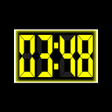
Large, low‑maintenance desk clock for repurposed Android devices
Free
Minimalist LED Table Clock App Review
Free
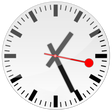
A free app for Android, by breaker.
Free
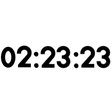
Clock with Seconds - A Simple Timekeeping App