




4.4
Free
Raven Scanner 3
Raven Scanner 3: Your All-in-One Scanner for Android


Safe & trusted downloads
The best software, verified by experts

A free program for Android, by Sansan Inc..
Eight is a powerful card scanning app that makes it easy to capture contact information, create professional profiles, and generate powerful networking connections. The app also lets you easily find job openings, connect with potential employers, and stay in touch with the people you might want to work with.
How to use Eight
1. Connect your phone to your computer
2. Open the app and select "Start with paper and online business cards."
3. Select your phone's camera and capture the business card that you want to digitize
4. Use the business card template to create your profile
5. Add a photo of the card
6. Name the profile and add a contact link
7. Add other contacts
8. When you're finished, click "Save."
9. The business card is now in your profile and you can add it to your phone.
Free
Raven Scanner 3: Your All-in-One Scanner for Android
Free
A free app for Android, by Infinum Inc.

Free
A free program for Android, by Ludex AI.

Free
A full version app for Android, by PT Margo Mitro Joyo..

Free
A free app for Android, by Trusted Android App.

Plan Your Classes With a Cool app

Download directory information for your ward, branch, stake, or district.

An almost perfect calendar

Put Bridget Jones to shame with this smart diary app

Comprehensive Calendar Planner for Android Users

Don't forget your friends and family's birthdays!
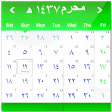
Hijri Calendar Widget is on of the useful and productive tool in the form of a homescreen widget for users, one of the best

An almost perfect calendar

A comprehensive companion for daily spiritual practice

Salat Timings Reminder is an alarming Islamic prayer time reminder app. In addition with Hijri calendar for all Muslims.
Organize Your Schedule with Shuffle