2.8
Trial version
Video Cutter and Splitter
Free Software for Video Editors


Safe & trusted downloads
The best software, verified by experts

Split large videos with this app
Easy Video Splitter is a multimedia application developed by DoEasier Tech. As the name suggests, the app allows you to split large videos. It is a small and easy to use program that can handle segments of a specified size. More than that, it also works with a wide variety of video formats. However, the app has no other function aside from cutting portions of your clips.
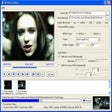
Easy Video Splitter provides an intuitive user interface, which comprises of a single window. With this, you can cut your clips easily regardless of your experience level and know-how. To start with the video cutting process, you only have to load up your file to the app. Then, select the endpoints of the selection by clicking two on-screen buttons. It will then provide a large preview window on its left side, allowing you to see the look of your output.
Unlike other video editors, this app allows users to create multiple segments from the same clip. It also provides endless mixing and matching opportunities. In addition to this, you can also set it to automatically cut the videos by length or number of clips. You can also do it manually and set the length of the clip. But doing so will force the app to choose the number of pieces of the clips.
As noted, Easy Video Splitter will work with various formats, including AVI, WMV, MPEG, and ASF. With this, the app can basically work with some of the most popular video file types available today. Not only that, but it also retains the sound and video quality of the initial clip.
Easy Video Splitter offers a high degree of control over the cutting process. However, users should note that the app does only the job in its title and nothing else. With this, you will need to install a separate video editor if you want additional functionality such as being able to combine various clips and apply a few tweaks to them.
One thing to note about this software is that it's only available for Windows devices. Not only that, but it only works for certain versions namely, 95, 98, Me, NT, 2000, and XP. This is a pity since the app could help solve inherent issues with a lot of other online video editors.
Additionally, the app is not for free. There is a 7-day free trial though, but after that, you need to purchase the app to continue using it. Don’t worry, though. It is a one-time price, and you don’t have to pay for any kind of monthly or yearly subscription. With this, you can use the app whenever you want.
All in all, Easy Video Splitter is an efficient software solution for splitting large video files. However, that said, it's only a video cutter and has no other function aside from cutting videos. You cannot merge them or apply effects, unlike other editors. So, if you only wish to cut clips, this app is worth downloading. But, if you are looking for more features, this app does not cut it.

The all-in-one solution for media playback

A free high-quality video downloading platform

Download Adobe Premiere Pro for Windows – Professional Video Editing at Your Fingertips

A very powerful and versatile free file converter.

The industry standard for professional motion design
Trial version
Free Software for Video Editors
Trial version
Split video files into smaller clips

Free
Video Editor for MPEG-2, AVI, WMV, ASF, MP3 and WMA
Free
Efficient Video Splitting Tool for Windows

Trial version
Split all types of video formats

Trial version
Split video files into smaller clips

Remove watermarks with ease

Create movies without limits

Comprehensive Video Player for Windows

A Modern Video/Audio Player with Some Solid Features

A free retro music and video player

Extract videos from the browser cache and save them to the hard drive

A free converter for WebM videos

A Free Home & hobby program for Windows

Create DVD discs with personalized chapters, menus, titles, music and effects.

Acquiring Videos Online

Soft4Boost Video to Flash