




5
Free
Control Center Hub Panel
Streamline Your Device with Control Center Hub Panel


Safe & trusted downloads
The best software, verified by experts

<h2>Centralized Quick-Access Panel for Android Settings and Media</h2>
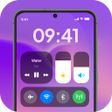
Experience Easy Control: Access Panel from Primordial Labs Inc., a single-swipe control hub for Android device management. The app consolidates connectivity toggles, system sliders, media controls, and utility tools into a floating or swipe-accessible panel for one-handed access and faster task execution. Included are Wi-Fi and Bluetooth toggles, brightness and volume sliders, an integrated media controller, screenshot and screen-record tools, plus customizable shortcuts. Android users who want a centralized control center and quicker navigation benefit from reduced taps and a compact interface.
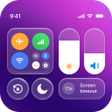
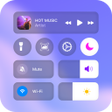
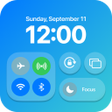
Easy Control groups several system and media functions into a single overlay so users avoid opening multiple system menus. The app exposes quick settings toggles for Wi-Fi, Bluetooth, mobile data, and airplane mode, plus system sliders for brightness and distinct volume streams. It also provides an integrated media controller and one-tap utilities, presenting those controls from a single, swipe-accessible surface.
The tool operates as a floating or swipe panel that requires standard permissions for system setting modifications and screen overlays, a design that lets it place controls above other apps. Because it uses the overlay mechanism, users must grant the overlay permission before the panel appears; that model changes how the panel sits relative to full-screen apps and other overlays on the device.
Safety depends on the permissions the app requests, which include the ability to change system toggles and capture the screen for recording. The panel's built-in recorder and screenshot tools require screen-capture permission, and toggles require system-setting grants. Review permission prompts before enabling features and keep the overlay disabled for sensitive apps if you prefer tighter control.
The customizable layout and smart assistive interface aim to make common tasks accessible without deep technical knowledge. Casual users can add shortcuts and arrange controls, but granting system-setting and overlay permissions is necessary for full operation. Recommended setup steps:
Easy Control: Access Panel is a practical option for Android users who need centralized, one-handed access to common device functions, and its design supports faster navigation and compact operation. One notable limitation is that the app may display advertisements during use, which can interrupt workflows. For a smoother experience, enable only the tools you need and keep the overlay off during full-screen tasks.
Free
Streamline Your Device with Control Center Hub Panel
Free
Efficient Control with Swipe Center Hub
Free
Efficient Control Hub for Android Devices

Free
A free app for Android, by Team Mercan.

Free
Streamline Your Smartphone Experience
Free
Efficient Customization with OS Control Access Panel