
4.2
Free
Paint on Web - online draw
Paint on Web - What is Paint on Web?


Safe & trusted downloads
The best software, verified by experts

How to Draw on a Website
This is a great app for anyone who wants to make art on their computer. All you have to do is to install this app, which is a browser extension, on your device, then just open the website you want to draw on and select the drawing tool.
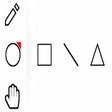
There are two modes that you can use: drawing and brushing. In the drawing mode, you can draw five different primitive shapes that you can choose from the UI. Meanwhile, brushing mode allows you to draw using a mouse or a pen (touch-enabled devices) on any webpage that you want.
You can also drag and drop, remove, resize, or rotate and zoom objects on the screen as well as print the page using the print button at the top left corner of the screen.
You can do all of this on a website. You don't need to download anything. You don't need to create an account. You don't need to log in. You just need to make sure that you are using the right browser on the right website.

Explore a fun plug-in

Desktop video editing made accessible and efficient

Efficient HTTP Header Management with Netmirror Extension

A free app for Chrome, by Zoomcorder.com.

Epson L380 printer troubleshooter
Free
Paint on Web - What is Paint on Web?

Free
Draw any face - Loomis method

Free
Web Paint Tool - draw online

Free
Paint Tool - A Very Simple and Lightweight Drawing App

Free
Peardeck Drawing Bot: Draw Realistic Images on Peardeck Canvas
Free
VectorDraw - Personalized Your Desktop

Stop Chrome from Discarding Tabs Automatically

Firebug Lite for Google Chrome

Efficient Token Management for Google Labs

Sonix.ai - A Free Speech to Text App

Efficient Screen Recording with Screenclip.fast

Secure Temporary Email Service for Quick Use

Streamline GitHub with Quick Actions Extension

Malwarebytes Browser Guard - A Safer and Faster Web Browser

Efficient LinkedIn Outreach Tool

Tiwari Academy: NCERT Books & Solutions for Class 1 to 12

Efficient Network Analysis with Fanout Inspector

Efficient Tool for Identifying Japanese Fonts