





4.1
Free
Eagle Proxy
Eagle Proxy: Fly Freely in the Network World


Safe & trusted downloads
The best software, verified by experts

DNS Changer - Lilly: DNS switching for Android
DNS Changer - Lilly, by Aykut Çevik, is an Android utility for changing the DNS server used by your device. It lets users choose from a built-in DNS server list or enter a custom DNS server manually. The app works across connection types such as mobile data, Wi-Fi, and Ethernet, supports both IPv4 and IPv6, and does not require root access.
Lilly uses Android’s VPN service feature to set DNS servers across supported connection types. Traffic is not routed through the app’s own server, and this can be verified by checking the device’s IP address, running a speed test, or reviewing connection settings. In practical terms, the app functions as a DNS changer rather than a traditional VPN.
The app offers a simple setup process: select a DNS server from the hand-picked list or enter a custom DNS server, then enable the setting. It also includes a connect-on-boot option, plus the ability to pause and continue DNS settings without reopening the app.
For parental-control use cases, DNS Changer - Lilly includes PIN security and an optional Device Administrator feature that can prevent the app from being uninstalled. Device Administrator permission is used for uninstall protection.
Although Lilly uses Android’s VPN service feature, it does not provide full VPN protection. It does not hide the user’s IP address, encrypt all traffic, or route internet activity through a private VPN server. Any performance improvement would depend on DNS response speed, not on increasing the device’s actual internet bandwidth. The app is free, but it may sometimes show small, non-disruptive ads to support continued development.
DNS Changer - Lilly is a practical tool for Android users who want quick DNS control without rooting their device. It is best suited for setting custom DNS servers, applying DNS changes across common connection types, and using basic parental-control protections. Users who need IP masking, full traffic encryption, or broader VPN privacy features should choose a dedicated VPN instead.
Free
Eagle Proxy: Fly Freely in the Network World

Free
VioletVigor:Secure Proxy Offers Reliable Online Privacy

Free
Global Proxy for android from Cowlord

Free
A free app for Android, by Jamieson.

Free
A free program for Android, by JUNJUN DEV.

AP Mee Bhoomi Land Records: Access Andhra Pradesh Land Records with Ease

GreatFireVPN: Secure and Simple Internet Access

A free app for Android, by Mp3 Ringtone Maker.

A full version app for Android, by Ankit Chowdhury.

Remote Control For Sony Car Radio
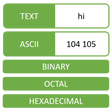
ASCII Converter - Text Encoder

Efficient Access to Indian Voter Information
Versatile Document Management with All Document Reader

Enhance Your Calculation Skills with UX Math Exercise

Efficient Android Cleaner for Optimal Performance

Stay Updated with Free Steam Games

Minimalist Digital Clock for Clear Visibility