
3.8
Free
Bubble Witch Saga
Engaging Puzzle Game for iPhone Users


Safe & trusted downloads
The best software, verified by experts
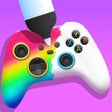
<h2>DIY Joystick: Design and decorate controllers on your iPhone</h2>
DIY Joystick, from CrazyLabs LTD, places players in the role of a controller designer on iPhone. The app lets you edit a controller's look by mixing colors, textures, and accessories to create one-off pieces with touch input. It provides multiple creative tools, broad color and pattern choices, and relaxed, low-pressure sessions suited to casual creators. The target audience is DIY fans and players seeking short, calming mobile crafting experiences focused on artistic expression.
In this game, you select a controller model then apply decorative techniques to alter its appearance. The process supports spray painting, stencil art, marble or hydro dipping, sticker placement, and a final polish stage. Sessions are short and repeatable: the reward comes from completing a single design rather than reaching scores or levels. This design-first loop fits players who want creative output more than competitive goals.
In this game, touch input stands in for physical tools: dragging for sprays, timed taps for stencil placement, and swipes to simulate dipping. These mechanics emphasize micro-interactions and tactile feedback; the controls aim to make each decoration step feel deliberate. The app includes a gallery mode to showcase and save finished joystick designs, and players can capture screenshots for sharing outside the app.
In this game, the interface favours close-up camera angles and a minimal tool palette so surfaces and finishes are visible while you work. Sound design leans into ASMR-style effects, such as spraying, water movement, and polishing noises, which underline the tactile focus. The app runs on iPhone and iPad with iOS 12.0 or later and is also available for Android devices, enabling the same visual approach across mobile platforms.
In this game, replay value stems from the large number of color, texture, and accessory combinations, so each run can produce a distinct result. There is no forced progression tree or time-limited penalties; the environment encourages trial and variation. CrazyLabs' history with hyper-casual titles informs the loop, which suits short sessions and repeat attempts rather than long-form campaigns.
DIY Joystick is a focused mobile craft simulator that rewards experimentation and visual curiosity, making it a suitable pick for players who want short, artistic sessions. However, reported advertisements between sessions can interrupt the creative pace, which matters for those seeking uninterrupted relaxation. Recommended for DIY enthusiasts and casual makers who accept occasional ads in exchange for a broad palette of decorative options.

Open-World Driving and Parking Sandbox

Cost-free truck simulation sequel

Endless creative adventures for kids

More than just a car parking game

MORE THAN A BARREL OF CAR PHYSICS FUN

单机游戏-养伙伴捉神兽手游

A free app for iPhone, by Uova Oy.

A free app for iPhone, by Guangzhou Yoqu Technology Co. Ltd.

A free app for iPhone, by GLOBAL CULTURAL MEDIA CO. LIMITED.

A free app for iPhone, by BILIBILI CO.LTD..

Candy Disaster TD Full Ver.

A free program for iPhone, by Shenzhen dreamart Culture Network Co. Ltd..

OffRoad Racing - Monster Truck
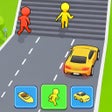
Shape Shifter: A Thrilling Racing Experience

烈火封神-星空复古: A Thrilling Retro Game with Exciting Features

A free program for iPhone, by NUVERSE K.K..