

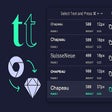
Ditto for Chrome
Copy CSS Text Styles From Live Websites Directly Into Sketch
- Free
- 4
- 241
- V 2.2
Copy CSS Text Styles From Live Websites Directly Into Sketch
Copy CSS text styles from a webpage directly into Sketch.
Ditto is a Chrome extension with a companion Sketch plugin that allows designers to copy CSS font styles from live websites and paste them directly into Sketch as Sketch styles.
First, download the Chrome extension. Open Chrome.
Second, open the Developer Mode in the top-right.
Third, click on the menu icon to see the menu.
Fourth, click on the "Load Unpacked" button.
Fifth, there is a folder in the Downloads folder.
Sixth, download the sketch plugin.
Run ditto.sketchplugin
Downloads/ditto-master/chrome/assets
You should see Ditto in the extension menu.
Also available in other platforms
Ditto for Chrome
- Free
- 4
- 241
- V 2.2





Discover more programs

Khanfar-SmartAI
- 4.7
- Free
A free app for Chrome.

Paramount+ Speeder: adjust playback speed
- 4.2
- Free
Paramount+ - The Perfect Way to Enjoy Movies and TV Series
Web Highlight
- 4.9
- Free
Auto Web Highlighter Chrome Extension - Get a Real Grip on the Content of a Web Page

Copy Helper
- 4.9
- Free
A free app for Chrome.

ChatGlow
- 4.9
- Free
A free app for Chrome.

Fast & Furious Spy Racers Wallpapers Tab
- 4.2
- Free
Fast & Furious Spy Racers tab extension that you can customize

Katana Silver Girl Live Wallpaper
- 4.7
- Free
A free program for Chrome.

Dark Theme for Yandex™
- 4
- Free
Dark Theme for Yandex™ for chrome from balvin.perrie

529andYou
- 4.3
- Free
How to Get Matches Into 529andYou

微信公众号代码传输器
- 4.9
- Free
A free program for Chrome.

PontaHR Recruiting Extension
- 4.2
- Free
A free program for Chrome.

Acapela TTS Engine
- 4.7
- Free
The Acapela TTS Engine is Now the Preferable Choice for Google Chromebook Users