
4.6
Paid
JAC
A Truly Functional Clock for People Who Often Travel


Safe & trusted downloads
The best software, verified by experts

Keep Your Hard Drives Awake
Disksomnia keeps your hard drives from going to sleep during periods of inactivity, making them quicker to access after periods of non-use.
Modern computer operating systems will put hard drives "to sleep" during long periods of inactivity. This is basically like turning the hard drive off. This process saves power and prolongs the life of the hard drive. However, when you come to use a hard drive that has been put to sleep, there is a delay as the hard drive "wakes up". Disksomnia prevents hard drives from going to sleep by periodically writing files to the disk to keep it active. You can easily select which disks you wish to keep active, and there is an indicator to show when a disk is being written to. You can also set it to run only when specific apps are running.
Though a bit expensive, Disksomnia does the job. Note that the files being written to keep the hard drives awake are visible, which can be annoying. Also there is no function to have the app only work on certain days or dates.

Alarm, stopwatch and countdown timer

Handy no fuss alarm clock
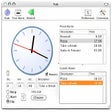
A kitchen timer for your Mac
Choose your clock
A Truly Functional Clock for People Who Often Travel
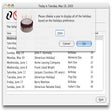
Never forget important events
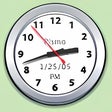
The super clock for Mac

A Timer That Lets You Know How Efficient You Actually Are During Working Hours

Generic timed routine scheduling application
A free app for Mac, by Apalon

Install a number of different clocks into your taskbar

Create a distraction-free space with this time management tool