
5
Trial version
Compost
Automatic trash management


Safe & trusted downloads
The best software, verified by experts

Decompose allows you to easily extract elements from a picture and use them to make composite images. It is the perfect tool to make images for web pages, newspapers and magazine or simply for your own creations.
Traditional extraction of object with a lasso tool typically takes time and the result is less than perfect. The extracted object has rough edges that are often tinted with the color of the previous background. Decompose produces smooth edges and completely removes the background color. All you need to do is draw a rough approximation of the edge of the object and tell Decompose what the foreground and the background are. Decompose then refines the edges, corrects the colors and allows you to save the result as a TIFF image ready to be used in your favorite compositing software.

Download Adobe Photoshop for Mac : A powerful graphics and photo editor

Unleash your creativity with Adobe Photoshop Lightroom for Mac

Comprehensive Update for Adobe Photoshop on Mac

Central distribution platform

A skin retouching plugin for Photoshop

Flickrize your desktop

Drag, drop and resize

Apple's software for viewing and managing your photos

Comprehensive Photography Tool for Mac Users

Remotely control your GoPro Hero camera with Camera Control for GoPro

Create harmonic color palettes
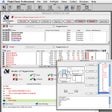
Your preflight checks modernized

Useful Tool For Shutterbugs

Make interesting slideshows of your memories with Photo Slideshow
Extract corrupted images from iPhoto

Show webcams on your desktop

Remove unwanted details in images with Intelligent Scissors