




4
Free
Ranish Partition Manager
Control the size of your disk partitions


Safe & trusted downloads
The best software, verified by experts
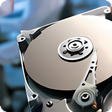
Partition Manager is an advanced hard disk partition management utility. Using Partition Manager, you can easily add, edit, delete and manage the partitions in your computer. Most of the hard disks have plenty of space and can store plenty of data and easily accommodate more than one operating system. In order to efficiently store large amount of data or install multiple operating systems, you need to partition your hard disk with a partition management utility like Partition Manager.
Partition Manager is very easy to use. It lets you preview the changes before you save them. It lets you edit the boot flag, partition type and other advanced parameters. It gives you total control of your system during the partition process. For example, it lets you edit all existing partitions. It even lets you install all the operating systems from scratch.
Free
Control the size of your disk partitions
Free
Partition manager tool for storage drives
Free
AOMEI Dynamic Disk Manager
Free
Create and modify partitions on your disk without problems
Free
Macrorit Disk Partition Expert Free with power-off protection and cancel-protection to resize partition safely and efficient

Free
Control CPU and RAM usage from your system tray

Clash Verge: Comprehensive Meta GUI for Networking

Get the Most Out of Your Desktop

Efficient Game Management with Paradox Launcher
A free app for Windows, by NirSoft

Efficient File Renaming Tool for Windows
Effortless Smart Home Management with Loxone Config

A tool for simplified multi-display management

Efficient Multithreaded CLI for Media Processing

High-Quality Molecular Visualization Tool
Efficient Price Calculation Tool for Furniture Industry