





1
Trial version
Yuzie Point of Sale Software
Cash register software is an ideal choice for a coffee shop, a restaurant, or a store, too. It is easy to learn and use.


Safe & trusted downloads
The best software, verified by experts

<h2>Desktop order management for Coupang Eats merchants</h2>
CoupangPOS, developed by Coupang Inc., provides desktop order handling for merchants on the Coupang Eats platform. The app receives incoming delivery requests, issues audible alerts, and enables staff to accept, update, and complete orders with timestamps. It also offers menu availability toggles and end-of-day sales reports to assist reconciliation. Designed for restaurant owners, franchise managers, and kitchen staff using Windows, it centralizes order intake and customer communication.
The app integrates directly with Windows-connected point-of-sale hardware, most notably thermal receipt printers, and is built for use alongside other desktop business programs. Thermal printing is supported for automated kitchen and customer ticketing, and merchants can run the tool on multiple Windows devices within the same store. Typical installation targets Windows 7 through 11 and requires a registered merchant account and an active internet connection.
Feedback from partners describes the tool as capable of handling heavy traffic in busy kitchens, with users calling it essential for high-volume workflows. The app is optimized for a desktop environment, which permits a dedicated workstation to manage orders rather than relying on mobile devices alone. If it stops receiving orders, standard troubleshooting steps include verifying network connectivity, updating the app, and ensuring the store status is set to "Open" within the software.
The app requires merchant authentication and synchronizes with the Coupang Eats consumer application so customers receive live updates and ETAs; delivery status monitoring shows delivery partner location and estimated arrival. Because it connects to the developer's logistics network and depends on a live connection, operational scope is tied to that network. The interface is simplified for kitchen speed, reducing training time for staff handling orders at scale.
The app is a practical option for merchants who need desktop-first order control and live delivery visibility. It depends on a registered Coupang Eats merchant account and continuous internet access, which constrains use for stores without stable connectivity or those operating outside Coupang's delivery network. For merchants aligned with Coupang Eats and running a Windows station, the app performs reliably and cuts back on mobile-only order handling. Recommended.
Trial version
Cash register software is an ideal choice for a coffee shop, a restaurant, or a store, too. It is easy to learn and use.

Free
Powerful and user friendly point of sale software to manage sales and stock in retail and hospitality businesses
Trial version
Achieve full control with this next generation retail management software!
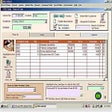
Trial version
Powerful Point of Sale application

A trial version Software utilities program for Windows

A two-in-one PC utility designed to boost your PC's performance and keep your Windows registry clean and efficient.

Data recovery for all Windows file systems

Multifunctional Windows optimizer, cleaner and backup tool
Quickly submit RSS feeds to search engines
Replacement for Windows file manager
A trial version Software utilities program for Windows
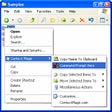
Add functions to the Windows Explorer context menu

Advanced and very powerful scheduler, scripting tool and automation manager

A Tool to Alter Your MPEG4 Videos’ Playback Parameters

Optimize your PC according to how you use it