4.3
Free
Gamma Panel
Adjust computer's gamma settings


Safe & trusted downloads
The best software, verified by experts
Manage computer monitor’s settings
ControlMyMonitor is a free computer utility that enables you to view and modify your PC displays settings or also commonly referred to as VCP features. This lightweight tool allows you to configure desktop functions such as brightness, contrast, sharpness, red/green/blue color balance, OSD language, Input Port including VGA, DVI, HDMI, and so on.
Simply through the GUI or command line, NirSoft’s ControlMyMonitor allows you to customize numerous monitor settings in the quickest and most comprehensive method. For more NirSoft software, you can check out WhoIsConnectedSniffer, NirLauncher, and Wireless Network Watcher.
ControlMyMonitor’s interface is straightforward enough to be navigated efficiently by all types of users from technical experts to less tech-savvy despite being presented in a dull-looking and outdated style. Modifying an item, for instance, can be done simply by selecting one from the displayed list. Afterward, you can either double-click or press the F6 button in order to activate its menu.
Alternatively, for much quicker access, you can just utilize the ‘Increase Value’ or 'Decrease Value’ options seen in the context menu through a right mouse click. In addition, moving the mouse's scroll wheel will empower you to change your preferred value as well. Keep in mind though that you must also hold down the CTRL button to successfully trigger the function when opting to use the latter method.
To name a few of this tiny package's power, it grants you to alter various VCP features like brightness, sharpness, contrast, color presets, RBG color balance, color temperature, as well as its horizontal and vertical frequencies. What's more amusing is it provides an export capability authorizing you to effortlessly load the saved monitor settings files into other monitors that you will use in the near future.
ControlMyMonitor is a special third-party program that can bring you so much power and control when it comes to administering your monitor settings. Its user interface is streamlined to be user-friendly so, no matter what technical experience you have, you will never be lost. Different ways are available to stimulate a certain function but all of them are guaranteed to be uncomplicated.

Bring Los Santos to Life on Your Desktop

Xender - Share Music Transfer: Multimedia File Sharing Software

Seamless trading environment for Windows users

Free Theme for Fantasy Fans
Old maps, new era
Free
Adjust computer's gamma settings

Free
The program is to manage brightness, contrast and color (temperature) of the primary monitor.
Free
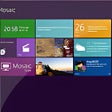
Mosaic: A Free Personalization Tool for Windows

Free
Modify your desktop’s display at more ease

Free
Keep the stuff that you love right at your fingertips

Free
A Free Desktop customization program for Windows

Effortless Brightness Control for Multiple Monitors

TranslucentTB: Lightweight taskbar customization for Windows

See the gods on your desktop

Software package designed to enhance the appearance of a personal computer

Enhance Your Windows 10 Start Menu with Start11

Stylish Customization with Lamborghini Theme

A free Desktop customization program for Windows

Transform Your Windows Experience with 8 Skin Pack

Enhance Your Windows Boot Experience

Transform Your Desktop with Colorless Night

Enhance Your Windows Experience with XnBeep

Engaging Coral Reef Screen Saver for Windows