




4.9
Free
Control Center OS Style
Efficient Utility for Quick Settings Access


Safe & trusted downloads
The best software, verified by experts
Streamlined Device Management with Control Center 7
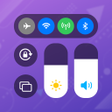
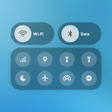
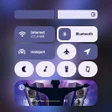
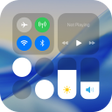
Control Center 7 is a utility tool designed for Android users, providing a sleek interface reminiscent of Samsung's OneUI 7. This application allows users to quickly access essential device settings such as sound and brightness control, Wi-Fi, Bluetooth, and Airplane mode with ease. Additional features like Do Not Disturb mode, screen rotation lock, and flashlight control enhance user convenience, making it a comprehensive solution for seamless device management.
Customization is a key aspect of Control Center 7, allowing users to adjust the design elements such as colors, control bar height, width, and shortcut order. The app utilizes accessibility services to ensure functionality without compromising user privacy, as no personal data is collected or shared. Overall, Control Center 7 transforms the Android experience by making vital controls and shortcuts readily accessible through a user-friendly interface.
Free
Efficient Utility for Quick Settings Access
Free
Enhance Productivity with Quick Control Center Hub
Free
Streamline Your Device Management Effortlessly
Free
Enhance Your Android Experience with Control Center 16
Free
Transform Your Phone with Easy Control Center Box
Free
Transform Your Android with iOS16 Launcher

Check your device’s compliance status

A free app for Android, by Techla Studio.

Absolute Magic Locker Agent: Key Distribution and Management App

Speed Up Your Games With This App

Enhance Your Gaming Skills with Sensitivity and Controls

Moss Browser: A Secure and Efficient Web Experience

CalyCap: Essential Stock Trading Tool for Investors

CreditFin: Your Personal Finance Companion

Improve Your Reaction Speed with GT99Nub

MCOYYUI: A Comprehensive K-Line Analysis Tool

Smart Personal Finance Tracker for Android Users