
4.4
Free
Kinemaster for Pc - Download For Windows/Mac
Desktop video editing made accessible and efficient


Safe & trusted downloads
The best software, verified by experts

Hide Distractions On Any Website Chrome Extension
A chrome extension to hide specific words on websites. Block content is designed to give you more control over what you read on the internet. With this extension, you can block all, some, or even specific words on the web.
By using this chrome extension, you can block anything and everything. It is possible to block anything that has a certain word in the title of a YouTube video and even block every thumbnail on a website.
With this extension, you can hide anything on the web, whether it be text, images, or any other element. With this feature, you can easily manage the content you want to hide on a website. This is a great way to save time and keep yourself from getting distracted from the website you are currently on.
Features
With the Hide Distractions On Any Website Chrome Extension, you can hide specific words, images, and more on any website. With the content blocked, you won't have to scroll past any words or images that might be getting in your way.

Explore a fun plug-in
Desktop video editing made accessible and efficient

Efficient HTTP Header Management with Netmirror Extension

A free app for Chrome, by Zoomcorder.com.

Epson L380 printer troubleshooter

Semalt Einstein: A Helpful Extension for Semalt Employees

A free program for Chrome, by MarkSven.
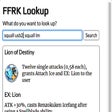
FFRK Lookup - A Quick Reference Tool for Enlir's FFRK Spreadsheet
LifeLogMono - Time Tracker

Custom Messenger Cursor - Change the Appearance of Your Cursor When Browsing

Siteinfo: Easily Grab Website IP Address, Country & Time Zone

LoftSchool screenshare capabilities meetings

Twitch Dongers: A Library of ASCII-Based Emoticons for Twitch Chat

Winnipeg Jets Themes & New Tab: Access Winnipeg Jets News and Wallpapers

CodeNinjasAutoSave - Chrome Extension for Saving Code in Code Ninja Software

Peerbelt - Search Engine With a Difference