





4.6
Free
Privacy Agent
Comprehensive Tool for Enhanced Privacy Management


Safe & trusted downloads
The best software, verified by experts

Efficient Cleanup Utility for Windows
CleanAfterMe is a free utility designed for Windows that focuses on simplifying the process of cleaning up temporary files and system caches. This program allows users to easily delete unnecessary files that accumulate over time, which can help improve system performance and free up disk space. The interface is straightforward, making it accessible for users of all technical levels, and it provides quick access to various cleanup options.
The utility supports the removal of temporary files from multiple applications, including web browsers and system folders. Users can select specific items to clean and schedule automatic cleanup tasks for convenience. With its lightweight design and effective functionality, CleanAfterMe serves as a practical tool for maintaining a clutter-free Windows environment.
Free
Comprehensive Tool for Enhanced Privacy Management

Free
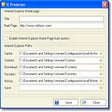
Clean up your surfing tracks
Trial version
Complete solution to protect your privacy and enhance your PC performance

Free
Microsoft Word version finder file type
Free
Efficient Utility for Windows Task Management

Free
FCleaner Portable: A Handy Utility Tool for Windows

Efficient Tool for Special French Characters

Streamline 3D File Management with Space Thumbnails

Efficient Thumbnail Preloading for Windows Explorer

Download Intel® PRO/Wireless Drivers-Only for Windows Vista*

Deno: A Modern Runtime for JavaScript and TypeScript

Install the latest driver for HP probook 6550b

Extend the power of the Windows Clipboard
Run applications from a limited or guest account

Make magazine-style readable content with Flip PDF

Efficient Citation Management with Zotero Citation Picker
Download Realtek* Audio Driver for Intel Desktop Boards D525MW, D425KT

Essential Utility for Rhythm Game Players