
2.8
Free
Easy2Sync for Outlook
Keep your emails in sync on your PC and notebook


Safe & trusted downloads
The best software, verified by experts

If you need to use Microsoft Outlook, but prefer Time & Chaos, ChaosSync for Outlook will allow you to synchronize the Telephone Book, Appointments and To Do items in Time & Chaos with the Contacts, Calendar and Tasks databases in Outlook.
Once installed, the ChaosSync for Outlook program will appear on the Accessories menu within Time & Chaos. When launched, it automatically uses the current Time & Chaos databases and your default Outlook database.
All that remains for you to choose is the appropriate direction of sync for each section. You can have it do nothing, Time & Chaos overwrites Outlook, Outlook overwrites Time & Chaos or full Synchronize between the two.

Email and calendar control for busy teams

Efficient Email Management with Google Gmail Gadget

Maximize freedom and safety in your emails

Download Google Calendar Sync for Windows: All your calendars in one place

Efficient Email Management with Foxmail
Free
Keep your emails in sync on your PC and notebook
Trial version
Tune your Outlook security settings
Trial version
Share and synchronize your MS Outlook calendar

Trial version
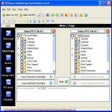
ABF Outlook Backup is a backup and synchronization tool for MS Outlook
Trial version
Outlook backup and synchronization
Trial version
Update Outlook contacts automatically
Send files of any size with your existing e-mail account
Share mail between multiple boxes
Delete quoted text markers from forwarded emails

E-mail, calendar and IM client in one

Send encrypted mails via Thunderbird

A USB based portable email client

A lateral way of thinking for task scheduling

Address book manager for MS Outlook
Download the schedule for your Outlook calendar

An alternative email application

Oranged: A Free Email Client for Windows

Add details of photo shoots to Outlook