




4.8
Free
Lingua - Live Translation
Lingua - Your AI Translation Companion


Safe & trusted downloads
The best software, verified by experts
<h2>Real-time camera, voice, and keyboard translation on Android</h2>
Cam Translate Pro AI Keyboard by Kafadengi Bilisim is an Android translation utility that unifies typed, spoken, and photographed text for instant translation. It translates as you type via an AI-enhanced keyboard, uses OCR to overlay translations on photos, and offers voice-to-voice conversation translation. Additional tools include AI summarization and chat localization. Designed for travelers, international professionals, students, and social-media users, it reduces app switching and supplies on-the-spot language help.
Cam Translate combines three input methods so users can move between communication modes without leaving a conversation. The tool provides an AI-powered keyboard that translates text as it is typed, a camera-based OCR that overlays or outputs translated text from photos, and a voice-to-voice mode for live exchanges. The package also includes chat translation, AI summarization, and an emojify assistant to enrich short messages.
The app is available for Android and the system requirements vary by device, so runtime load is tied to handset capability. Features that process audio or images in real time, such as OCR and voice translation, use more device resources than plain text entry. The keyboard runs inside other messaging apps to translate in-place, which means input-method activity happens across apps rather than in a single isolated window.
Camera and microphone access are necessary for OCR and voice translation, and the keyboard must be enabled as the system input method to translate in other apps. User feedback also notes the presence of advertisements and a requirement for premium AI access to reach certain capabilities. Those points affect operational choices more than core translation mechanics and are relevant to privacy and resource planning.
The app targets travelers, digital nomads, business users, and students by supporting multiple languages including English, Spanish, French, German, Arabic, and Russian. AI summarization helps condense long messages, while emojify adds expressive suggestions for social chat. Adoption signals include over 100,000 downloads and a positive average rating, indicating broad casual use but varying needs for advanced AI features.
Cam Translate is a practical option for travelers and professionals who need immediate translations across text, photo, and speech channels. Expect a trade-off between convenience and feature gating, since users report ads and premium access for advanced AI tools. Test camera and microphone permissions in a low-stakes chat before relying on live conversations. Recommended.
Free
Lingua - Your AI Translation Companion
Free
Efficient Language Translation with Smart Lingo
Free
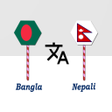
Comprehensive Bangla to Nepali Translation Tool

Free
Pixel Translator: Your Ultimate Multilingual Tool
Free
Comprehensive Language Translation App for Android
Free
Effortless Language Translation with Camera Translator