
4.2
Paid
Procreate
A professional tool for digital artists


Safe & trusted downloads
The best software, verified by experts

Drawing is Easy With Callipeg!
Drawing is easy with Callipeg! All you need is your Apple Pencil and the app.
It's easy to manage and you can quickly animate your pages with multiple frames.
It's fast and simple to draw and it works well on tablets, so you can draw wherever you want.
It comes with a variety of colors that you can easily adjust, including pencil, Indian ink, and even some drawing brushes.
The app offers advanced editing tools such as color matching, drawing curves and splines, and the ability to add and manage layers.
With Callipeg, you can add your drawings and photos to the layers. It's simple and fast!
You can move your drawings with a tap and simply draw them as you need.
The app also offers different views:
A view that displays the current state of your animation and gives you access to many tools.
A view that displays all your animations, so you can continue your work on your previous animation.
A timeline that displays a complete animation in a timeline with an option to preview it.
There are many drawing tools such as pencils, marker, and even brushes.
The app has a palette, so you can adjust the color of the drawing.

Free all-in-one video editor for everyone

Widgy Widgets - Make the iPhone Home Screen Your Own

Adobe Fresco - A Powerful Drawing App For iPad With Apple Pencil and iPhone

A full version app for iPhone, by ZERO TO ONE CONSULTING COMPANY LIMITED.

Getting started with a flexible digital canvas

vear - Anime Avatar Camera: Stream and Record with Your 3D Avatar

Little Pony Wallpapers HD for iphone from Maroua Saadi

Transform Videos with Buzz AI for iPhone

AR Drawing Tracing Projector: Unleash Your Creativity with Augmented Reality
Zen Brush 3: A Powerful Drawing App for Zen Art

Effortless Presentation Creation with Slidey

Create and Play Unique Games with SMIRK

Sumi.ai: AI-Powered Anime Art Creation Tool
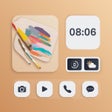
Customizable Themes and Widgets for iPhone Users
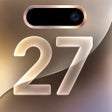
Wallpapers 17: Live Widgets - A Stylish and Cool Lock Screen App