

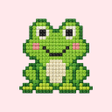
Button Coloring: Art Sort for Android
<h2>Button Coloring offers calm color-sorting puzzles with mosaic art rewards</h2>
- Free
- 4.8
- V 1.0.15
<h2>Button Coloring offers calm color-sorting puzzles with mosaic art rewards</h2>
Button Coloring: Art Sort, developed by Gameberry Labs, is a relaxing, creative puzzle app that turns empty outlines into mosaic-style images. Players sort colored buttons into matching slots to reveal textured artworks, using touch controls optimized for mobile play and tactile visual effects that emphasize a meditative pace. The app combines progressive difficulty, varied templates from simple shapes to complex landscapes, daily challenges, and offline support, making it suitable for casual gamers and puzzle fans seeking a low-pressure creative pastime.
What kind of game is it?
The app reads as a puzzle-art hybrid that privileges decorative completion over competitive scoring. Progress measures the number and fidelity of finished mosaics rather than time or leaderboard rank, so the loop feels like completing an art project. That design supports a calm session model and favors players who enjoy deliberate, tidy tasks and the visual payoff of finished canvases rather than fast reflex tests.
Progression adds variety without adding pressure
Difficulty ramps through more colors and increasingly intricate templates, moving players from simple shapes to complex landscapes. The app includes offline support for most standard levels and adds short objectives in the form of daily challenges and special art pieces to unlock. Hints and power-ups are available when users get stuck, which keeps longer templates approachable without forcing speed.
Visuals and feedback deliver a tactile, calming effect
Art direction emphasizes the texture of button surfaces to form a distinct mosaic appearance, and the app supplies ASMR-like visual effects alongside tactile feedback. Many users report a satisfying "click" when placing pieces, and reception notes high production quality and smooth performance versus similar sorting titles. Those presentation choices make placement feel physically rewarding even on typical Android hardware.
Accessible for beginners and built for repeat play
Mechanics remain simple enough for children and casual players, with family-friendly content and straightforward touch controls. A broad template library, seasonal events, and regular updates provide reasons to return after short sessions. Players who enjoy collectible completion and calm, short-play rhythms find steady motivation; the game suits short bursts as well as longer decorative sessions for completion-oriented players.
A calm, decorative pick for casual players
The app suits casual players who favor low-pressure, creative puzzles and brief play sessions. A notable consideration is the presence of advertisements and optional in-app purchases, which can interrupt a meditative flow for some users. Competitive players or those seeking multiplayer action should look elsewhere; the app rewards patience and a focus on visual completion rather than rivalry. Try a few levels to judge fit for your routine.
Pros
- Varied art templates from simple shapes to complex landscapes
- ASMR-like visual effects and textured button presentation
- Supports offline play for most standard levels
- Daily challenges and special pieces extend short-term goals
Cons
- Advertisements and optional in-app purchases can interrupt sessions
- Progressive color complexity may overwhelm players preferring minimal palettes
- Hints and power-ups reduce challenge for players seeking pure difficulty
Button Coloring: Art Sort for Android
- Free
- 4.8
- V 1.0.15
Top downloads

Minecraft: Bedrock Edition
A game of creativity and survival in your pocket
yono rummy games manship
Engaging Predictive Gameplay in Yono Rummy
Yono777 King
Yono777 King: A Fun Offline Spin Game

Grand Theft Auto: San Andreas
Experience an action-packed criminal life
Hi Rummy
Explore Fun with Hi Rummy Card Game