



3
Paid
StockTouch
Slick stock market tracking app for Mac


Safe & trusted downloads
The best software, verified by experts

<h2>Billable for Mac: focused invoicing and time-tracking for freelancers</h2>
Billable, from Clickable Bliss, is a Mac app designed to handle the billing side of freelance work. It captures billable work and produces professional invoices while keeping the interface deliberately small and direct. The app fits into desktop Mac workflows and prefers a narrow billing remit instead of full accounting complexity. Freelancers and small business owners on Macs who want quick invoice turnaround and straightforward tracking will find its approach practical and low-overhead.
The typical flow moves from entry to delivery in a few steps: record services or hours, associate entries with a client, pick a look, and export a completed PDF. The built-in PDF engine produces clean output and the interface can prepare a pre-addressed email for delivery with one click. This keeps the path from time entry to sent invoice short and predictable, appropriate for project-based billing.
The app added AppleScript support in an update, opening basic automation for advanced users who want scripted exports or integrations with other Mac utilities. Contact records can be imported from the system Address Book, while the internal client database stores billing data independently of system contacts. The developer responded to community requests by adding features like invoice numbering rather than expanding into unrelated accounting features.
The app's output model centers on generated PDF invoices and in-app email delivery, which fits firms that exchange documents by email. Client import from Address Book reduces manual data entry during onboarding. Historically the software targeted desktop Mac OS X releases from Tiger through Snow Leopard, so its interface and integrations reflect an older Mac desktop design rather than cross-platform operation.
Independent contractors and small practices that need a compact, billing-focused tool benefit most: the community praised the app's tidy interface and developer responsiveness, and reviewers highlighted its straightforward invoice output. The app suits people who prefer a purpose-built billing workflow without migrating into full accounting, especially when simple, repeatable invoice generation is the production goal.
The app is a pragmatic option for freelancers and small business owners who require focused billing without accounting overhead. It is, however, a legacy product no longer actively sold or supported and it was succeeded by a follow-up called ProfitTrain, which limits long-term viability on modern systems. For short-term, simple billing flows it remains serviceable, but teams should plan migration for ongoing support.
Paid
Slick stock market tracking app for Mac
Trial version
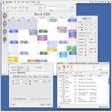
Calendar and appointment scheduler
Trial version
design and print professional check on Mac

Free
Lay out your ideas, organization or process with this free Mac software.

Free
A free program for mac
Trial version
Streamlined spreadsheet management tool

iBank: A Comprehensive Finance Management Tool

A free app for Mac, by Patrick Negretto.
Simple money management

Facebook’s Very Own Cryptocurrency System

A free program for Mac, by Taxsoftware.com.

A full version app for Mac, by Kevin Silmore.

A free app for Mac, by Apparent Software Inc..
A free program for Mac, by Paul Ameden.

Financial budgeting and control app

Track income and expense easily
Record your small business transactions

A free app for Mac, by iBear LLC.