





3.2
Free
Cool MP3 Splitter
Divide up MP3s into smaller files


Safe & trusted downloads
The best software, verified by experts

BeCutter: Simplify Your MP3 Playback
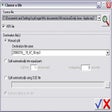
Having to deal with large MP3 files can be cumbersome, especially when trying to resume playback from where you left off. BeCutter, a free Windows application developed by Darksoul71, offers a solution to this issue by allowing users to easily divide their MP3 files into smaller fragments. This not only reduces loading times but also simplifies the process of returning to the exact position in the file where playback was last stopped.
BeCutter features a straightforward interface that is both simple and intuitive. Users simply need to select the MP3 file they want to split and specify the duration of the fragments they wish to create. If you've ever struggled with managing large MP3 files, BeCutter is a tool worth trying out.
Free
Divide up MP3s into smaller files
Trial version
Cut up different audio format files

Paid
MusicCut: Simple Audio Splitting Tool

Free
Efficient Audio Cutting with Abelssoft MP3 Cutter

Free
Break a Song Down and Listen to Only Your Favorite Parts

Freeware Replacement for Windows Sound Mixer

Efficient Audio Repair Tool for Windows

AC3Filter: Essential Audio Tool for Windows
Comprehensive Audio Management with iPlayAnywhere

Easypodcast: Podcast Creation Made Simple

Save your favourite DVD soundtracks

Listen and save music from thousands of web radio stations
Record live radio broadcasts

Professional DJ Software for Audio Mixing

Comprehensive Audio Conversion Tool for Windows

Record notes and messages on your computer of your own voice

Convert Realplayer streaming clips to Mp3