





4.4
Free
ImBatch
Comprehensive Image Processing with ImBatch


Safe & trusted downloads
The best software, verified by experts

Comprehensive Image Processing Tool for Windows
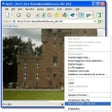
Batch Images Free Edition is a powerful utility designed for managing and enhancing images on Windows. This free software allows users to find, resize, crop, watermark, enhance, convert, rename, and process photos in over 30 different formats. With more than 120 filters and effects at your disposal, users can perform a wide array of image adjustments including color corrections, brightness, and saturation modifications. The application supports conditional processing based on image attributes and offers various processing modes such as Manual, Background, Scheduled, and Console.
The software excels in its ability to handle metadata, allowing users to work with EXIF, IPTC, GPS, and XMP data. Users can apply a range of creative effects, add watermarks, and utilize layers with multiple blend modes for advanced editing. Additionally, Batch Images Free Edition features fast parallel processing on multi-core CPUs, ensuring efficiency in handling large image batches. With customizable file naming and output options, this tool is ideal for both casual users and professionals seeking to streamline their image processing tasks.
Free
Comprehensive Image Processing with ImBatch
Free
Opanda IExif: A Free Tool for Image Metadata

Free
Efficient Batch Image Resizer for Windows

Free
Resize photos and optionally add a watermark

Free
Comprehensive Image Processing with QQ Image

Comprehensive Tool for DynamoDB Management
Hard-drive activity monitoring utility

Detect errors in your registry

Detailed Overview of CrystalCPUID Utility

Comprehensive Live Streaming Solution for Windows

Effortless Light and Dark Mode Switching

Efficient Input Method Status Tool

Efficient Command Line Interface for IoT Management

Efficient Code Searching and Linting Tool

Efficient Command-Line Task Runner for Windows

Comprehensive Media Management with Kyno
Optimize Your PC with My Faster PC