





4.5
Free
Screenshot - Screen Capture Snapshot Screenshots
How to Take a Screenshot


Safe & trusted downloads
The best software, verified by experts
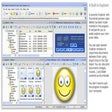
Creating state-of-art screensavers with sprites (animated objects moving on screen) has never been easier. For example, you'll be able to create in minutes a cool screensaver with your company logo bouncing on screen. Images with transparency (including alpha-channel) are supported. Several options are available: Bouncing on the screen borders, realistic collisions between objects and more...
If you use to create Macromedia Flash® movies, you'll produce limitless screensavers. The product is fully compatible with SWF movies up to MX. You can produce full screen or scaled playback. An interesting feature permits to create interactive screensavers (the user can click in movie to interact with the screensaver).
Creating slideshow screensavers is also possible. Many transitions are available including the famous "fade-in & fade-out" effects. Several options are available to meet your needs: background sounds, ability to attach a speech to each image, display with automatic screen resolution adjustment, and more.
If you have created a video movie, you'll be able to create a screensaver from it in a few minutes. For example, it's a great idea for a company to make a screensaver from a TV ad clip. All the video file formats are supported: AVI, MPEG, ASF, QuickTime, RealMedia.
Free
How to Take a Screenshot
Free
Comprehensive Photo Editing Tool for Windows

Free
Add eye-catching water effects to your pictures

Trial version
Powerful, yet simple, photo optimization and sharing
Free
A free direct flowchart editor app

Free
Flowchart creator for programming students
Easily apply optical effects to photos
Create kaleidoscopic images from your photos

Annotate your photos with animated info-balloons
A trial version program for Windows, by Photoactions.
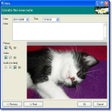
Create an online multimedia album using photos, videos, etc
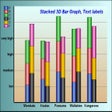
Create graphs in a huge range of styles

Process digital photos taken in "continuous mode"
Create Stunning Photo Galleries with Ease

Free, intuitive photo manager for home use

Remove date from photo or a batch of photos and mask the mismatch between the cleaned area and the rest of image.
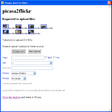
Publish in Flickr directly from Picassa
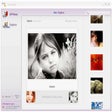
Flickr browser and photo manager