



4.1
Free
Emsa CD Tray Pal
CD-ROM Drive control menu


Safe & trusted downloads
The best software, verified by experts

Create Custom CD-ROM Menus Easily
AutoPlay Menu Builder is a free multimedia application designed for Windows that allows users to create customized interfaces for CD-ROM menus effortlessly. With this utility, even those without prior experience can design engaging menus by simply dragging and dropping elements according to their preferences. The software offers a variety of pre-designed templates tailored for different types of content, such as software demos, movies, or tutorials, making it versatile for various applications.
Users can fully customize these templates by adding, removing, or modifying elements to suit their needs. Alternatively, for those who prefer a clean slate, the option to start from a blank page is available. Once the design is complete, users can easily insert various elements like executables, videos, web links, and audio files, facilitating the creation of personalized and interactive CD-ROM menus with ease.

ISO management tool

Efficient DVD Burning with MovieJack DVD
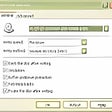
Burn CDs and DVDs with Free Software

Burn Audio, Data and ISO DVDs fast
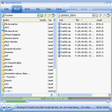
All in one CD/DVD burner

A trial version Software utilities program for Windows
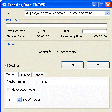
Easy to use burning application tool

Efficient Free Burning Software for Windows
Covert AVCHD In One Click
CD/DVD burning tool with a difference
Back up your DVDs to disk or your hard drive

Efficient DVD Shrinking Solution for Windows